Category: MoveEmpire Articles

MoveEmpire Articles delivers expert guides on moving company software, CRM, estimates, dispatch, automation, pricing, onboarding, and multi-location growth.

  • Moving Company Software Implementation Checklist

    Moving Company Software Implementation Checklist


    Owner-operated insight • guided launch

    Moving Company Software Implementation Checklist

    MoveEmpire helps moving-company owners replace scattered tools with one connected operating system for leads, estimates, scheduling, dispatch, communication, payments, automation, and reporting. Our implementation process is built around how real moving businesses work—not a generic software checklist.

    One SystemFrom new lead to paid job
    50 StatesBuilt for U.S. operators
    GlobalAvailable beyond the U.S.
    NashvilleOur primary home base
    Moving Company Software Implementation Checklist
    Follow the checklist to connect owners, office teams, estimators, dispatchers, and crews in one shared operating system.

    Implementation without confusion

    Software Is Only Valuable When Your Team Can Use It

    Buying moving-company software is not the finish line. The real result comes from translating your current operation into a cleaner workflow, configuring the system around your services and locations, preparing your team, and launching without losing sight of active leads or booked moves. MoveEmpire onboarding is designed to make that transition clear, controlled, and practical.

    Your MoveEmpire Implementation Roadmap

    Every company has a different mix of services, users, markets, lead sources, sales habits, and dispatch rules. The roadmap below gives the launch structure while leaving room to configure the platform around the way your company actually operates.

    01

    Discovery and success map

    We begin with the outcomes that matter: faster lead response, cleaner estimates, fewer scheduling conflicts, clearer crew assignments, better follow-up, stronger visibility, or a consistent multi-location process. We document the current flow from first inquiry through final payment and identify where information becomes delayed, duplicated, or lost.

    Moving Software Implementation Checklist FAQs

    What is Moving Software Implementation Checklist?

    It is a practical workflow for organizing moving-company leads, customers, estimates, jobs, communication, and reporting in one connected system.

    Who should use it?

    Owners, sales teams, estimators, dispatchers, customer-service staff, and operations leaders can use it with role-appropriate access.

    How does it improve lead follow-up?

    It keeps inquiry details, next actions, and communication history visible so teams can respond consistently.

    Can it support estimates?

    Yes. Organized inventory and move details can help authorized staff prepare and review clearer estimates.

    Does it help dispatch teams?

    Connected job, crew, truck, date, and customer information can reduce handoff gaps during dispatch.

    Can multiple locations use it?

    Centralized visibility can support authorized teams across branches while preserving consistent workflows.

    What information should be prepared first?

    Prepare lead sources, customer fields, service types, pricing rules, user roles, and current operating procedures.

    How long does setup take?

    Timing depends on data quality, workflow complexity, integrations, and team availability; staged implementation is usually safest.

    Is employee training important?

    Yes. Training helps staff use the system consistently, protect customer information, and understand review responsibilities.

    What is the next step?

    Review MoveEmpire onboarding and pricing resources, document your workflow requirements, and apply for a product conversation.

    Related resources: onboarding, pricing, and moving company software.

    02

    Account and company setup

    Your workspace is organized around the company structure, authorized users, service coverage, locations, roles, and operating preferences. The goal is a platform that feels like your business from the first login, with the right people seeing the right information.

    03

    Lead pipeline configuration

    We organize stages for new inquiries, qualification, estimating, follow-up, booking, lost opportunities, and reactivation. A clear pipeline helps owners understand the health of sales while helping representatives know exactly which opportunity needs attention next.

    04

    Estimate workflow

    Estimate processes are aligned with the company’s sales approach. Teams can keep customer details, inventory notes, move information, pricing context, communication, and status together. Learn more on our moving estimate software page.

    05

    Scheduling and dispatch

    Jobs, dates, crews, vehicles, and operational notes need a single source of truth. We help create a dispatch-ready process so office teams can see what is booked, what needs confirmation, and which resources are assigned. Explore moving dispatch software.

    06

    Automation and launch

    After the core workflow is stable, relevant automations and reminders can reduce repetitive work. The launch includes practical team readiness, final checks, and a clear go-live approach. Automation supports the team; it does not replace responsible human review or customer care.

    MoveEmpire onboarding across desktop tablet and mobile devices
    Keep office and field operations connected through a consistent, device-ready workflow.
    Built around moving operations

    What We Configure With Your Team

    Implementation focuses on the operational areas that create the most value for your company. The exact configuration depends on your subscription, available platform features, existing data, and business requirements.

    • Lead capture, ownership, pipeline stages, and follow-up visibility
    • Customer records, move details, notes, communication history, and documents
    • Estimate preparation and sales workflow organization
    • Booking, scheduling, crew assignment, job status, and dispatch readiness
    • Role-based access for owners, managers, sales staff, office teams, and field users
    • Performance visibility for leads, booked work, job activity, and team follow-through
    • Multi-location structure for operators managing more than one market
    • Automations and notifications appropriate to the company’s processes
    Migration with control

    Moving CRM Data Without Moving the Mess

    Many companies arrive with customer information spread across spreadsheets, inboxes, calendars, contact lists, older CRMs, estimating platforms, or disconnected software. Migration should not mean copying every outdated record and inconsistent field into a new system. It should create a dependable operating foundation.

    Before importing information, determine what data is current, which records have business value, and how fields should map into MoveEmpire. Duplicate contacts, incomplete entries, inconsistent dates, and outdated pipeline stages may need cleanup. The customer remains responsible for confirming that it has the right to use and transfer its data, and for reviewing imported information.

    A practical migration may be completed in phases. Active prospects and upcoming jobs can be prioritized first, followed by recent customers and approved historical records. This reduces disruption while giving the team faster access to the information needed for daily operations. Complex migrations may require additional scoping, preparation, or services depending on volume and format.

    Migration readiness checklist

    • Identify the systems and files that contain current business data.
    • Choose the records that truly need to be retained.
    • Standardize names, phone numbers, dates, stages, and location fields.
    • Remove or resolve obvious duplicates before importing.
    • Map source fields to the correct MoveEmpire destinations.
    • Create a secure backup of the original source.
    • Test a limited sample before processing a larger dataset.
    • Validate record counts, required fields, and representative customer records.
    Role-based adoption

    Training That Matches Each Person’s Job

    Owners need visibility. Sales teams need a clear next action. Dispatchers need reliable scheduling information. Crew leaders need access to the job details relevant to the field. Effective onboarding does not overwhelm every employee with every feature; it teaches each role how to complete the work that belongs to them.

    Owners and executives

    Learn how the platform connects sales and operations, how to review performance, how to spot stalled opportunities, and how to create accountability without chasing updates across multiple systems.

    Sales and estimating teams

    Learn the expected steps for responding to a lead, maintaining customer data, preparing the opportunity for an estimate, documenting follow-up, and moving a customer toward a clear booking decision.

    Dispatch and operations

    Learn how information should move from booked work into the operating schedule, where assignments and status updates belong, and how to keep office and field teams aligned.

    Clear pricing direction

    Implementation Pricing Without Guesswork

    MoveEmpire’s introductory price is $130 per month for months 1–12, totaling $1,560 for the first year. Beginning in month 13, the regular price is $500 per month. Confirm current terms, inclusions, and limits on the MoveEmpire pricing page. The right rollout depends on required capabilities, users, operating complexity, and support level.

    Standard onboarding assistance may be included or defined by the selected plan. Advanced configuration, extensive data cleanup, custom migration work, large user groups, multi-location rollout planning, or specialized requirements may require a separate scope. When additional work is needed, it should be identified before the work begins so you understand the deliverables and applicable cost.

    We do not publish invented fees on this page. Review the current pricing page or request a direct conversation for an accurate recommendation based on your organization.

    Designed from the owner’s seat

    Owner-Operated Trust Built Into the Product

    MoveEmpire is built with the perspective of an owner-operated business. That matters because a moving company does not run on software screens alone. It runs on speed, responsibility, communication, customer confidence, careful coordination, and the ability to make a decision while the day is already moving.

    Our goal is to help operators create an accountable system: every lead has a status, every estimate has a next step, every booked move has operational details, every team member understands their role, and ownership can see what is happening. Technology should make the company easier to manage and the customer experience easier to trust.

    MoveEmpire does not claim that installing software automatically produces revenue, rankings, or business success. The platform supports execution. Results depend on the company’s market, services, pricing, team, adoption, processes, customer experience, and consistent use of the system.
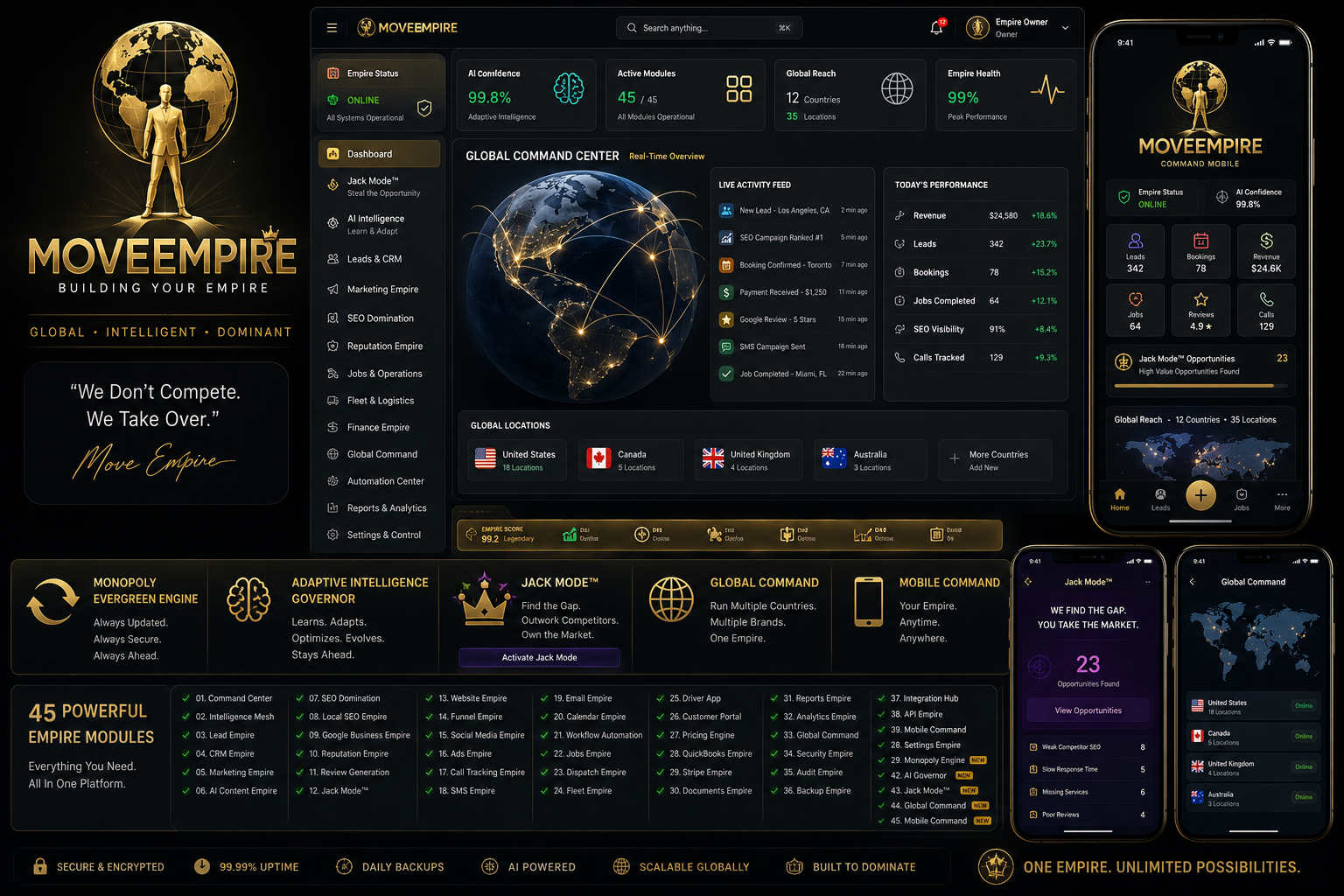
    MoveEmpire global moving company software network from Nashville
    MoveEmpire is based in Nashville and designed for moving-business operations across the United States and internationally.
    Nashville base • worldwide reach

    Available Across the United States and Globally

    MoveEmpire’s primary home base is Nashville, Tennessee. The software is designed for moving-company operators across all 50 U.S. states and for businesses outside the United States that can use the platform within their local operational, legal, payment, tax, privacy, and communication requirements.

    Global availability does not mean that MoveEmpire maintains a physical office in every state or country. It means qualified operators can access a cloud-based system beyond Nashville. Companies are responsible for confirming how their local laws, customer contracts, taxes, data obligations, messaging rules, payments, and industry requirements apply to their use of software.

    Multi-location operators can create more consistent processes across markets while preserving visibility into local activity. See how the platform supports expanding organizations on our multi-location moving company software page.

    Launch verification

    What “Ready to Go Live” Should Mean

    A clean launch is not simply an account with users added. It means the critical workflows have been reviewed, sample records have been tested, responsibilities are understood, and active business can move through the system without avoidable confusion.

    Workflow verification

    Create a test lead and move it through the approved stages. Confirm that essential customer and job information stays visible. Review the estimate-to-booking handoff and ensure dispatch can locate what it needs.

    Team verification

    Confirm that every user can sign in, has the intended permission level, understands where to record activity, and knows who to contact when a process question appears.

    Business continuity

    Choose a go-live date that protects active work. Keep an approved backup of important source data, document any temporary parallel process, and define when the previous system will stop receiving new information.

    After launch, adoption should be reviewed through real operating behavior. Are new leads receiving owners and next steps? Are notes being entered consistently? Are bookings reaching dispatch with enough detail? Are managers using the same reports? Early corrections prevent small shortcuts from turning into a fragmented system.

    Adoption and accountability

    A 30-Day Operating Plan After Launch

    The first month turns configuration into habit. A simple operating rhythm helps the team adopt MoveEmpire while giving leadership evidence about what is working and what needs adjustment.

    Week one: stabilize

    Review new leads daily and confirm that every inquiry has an owner, stage, next action, and accurate contact information. Check upcoming jobs for missing operational details. Resolve access or process questions quickly so employees do not return to side spreadsheets or private notes. Keep changes limited to issues that materially affect daily work.

    Weeks two and three: improve

    Look for repeated friction. If representatives skip a field, decide whether training is needed or the field is unnecessary. If dispatch repeatedly asks sales for the same detail, add that information to the handoff standard. Review follow-up consistency and confirm that automation supports, rather than confuses, customer communication.

    Week four: measure

    Compare the launch goals with real usage. Review pipeline visibility, response discipline, estimate follow-up, booked-job completeness, scheduling clarity, and management reporting. Document the final standard operating process, assign an internal platform owner, and schedule a recurring workflow review.

    Responsible access

    Data, Permissions, and Customer Trust

    Moving companies handle sensitive customer and job information. Onboarding should apply a least-access approach: each user receives only the permissions needed for that role. Departed employees should be removed promptly, shared accounts should be avoided where practical, and account owners should periodically review active users.

    Imported information should come from authorized sources. Teams should confirm customer details before relying on old records and should follow applicable privacy, communication, payment, tax, record-retention, and consumer-protection rules. International users may face requirements that differ from U.S. businesses. MoveEmpire supports business organization but does not replace legal, tax, privacy, or compliance advice.

    Customer trust also depends on data quality. Names, dates, addresses, inventory notes, access conditions, pricing context, promises, and changes should be recorded in the appropriate place. A complete record reduces misunderstandings and helps the next employee serve the customer without forcing them to repeat the entire story.

    Integration planning

    Connect Tools With a Clear Purpose

    An integration should solve a defined operating need. Before connecting forms, advertising sources, email, calendars, payments, or other services, identify what information should enter MoveEmpire, which system is the source of truth, who owns failures, and how the team will detect duplicate or incomplete records.

    Start with the connections that protect revenue and customer experience. Lead capture and essential communication usually matter more than adding every optional tool on day one. Test each connection with sample information, confirm field mapping and notifications, and document the fallback process. Feature and integration availability depends on the current MoveEmpire offering, third-party services, subscription level, and approved configuration.

    Keeping the technology stack intentional makes support easier. Fewer disconnected tools mean fewer passwords, duplicate records, conflicting updates, and places where an important customer detail can disappear.

    Questions answered

    MoveEmpire Onboarding FAQs

    1. What is moving company software implementation checklist?

    Moving software onboarding is the structured process of configuring the platform, organizing company workflows, preparing or migrating approved data, establishing user roles, training the team, testing critical processes, and launching the system. Good onboarding connects software features to the real steps a moving company uses to manage leads, estimates, bookings, crews, jobs, communication, and reporting.

    2. How long does MoveEmpire implementation take?

    The timeline depends on the company’s size, number of users and locations, data condition, workflow complexity, team availability, and required configuration. A straightforward new account can move faster than a multi-location organization migrating years of inconsistent records. The timeline should be established after the requirements and data are reviewed.

    3. Can MoveEmpire import data from another CRM or spreadsheet?

    Data migration options depend on the source format, quality, volume, available platform capabilities, and agreed scope. Information may need to be cleaned and mapped before import. Customers should maintain a source backup and review test results before relying on a larger migration.

    4. Is onboarding included in the subscription price?

    Included support and onboarding may vary by current plan. Extensive cleanup, custom migration, specialized configuration, multi-location rollout assistance, or other advanced services may require additional scoping. Check the current pricing page and request a recommendation for an accurate answer.

    5. Does MoveEmpire train salespeople, dispatchers, and owners?

    Onboarding should be role-based so each team member learns the work relevant to their responsibilities. Owners focus on visibility and accountability, sales representatives focus on lead and estimate workflow, and dispatch or operations teams focus on scheduling, assignments, job details, and status management.

    6. Can a multi-location moving company use one implementation plan?

    Yes, a shared framework can create consistent stages, required information, roles, and reporting across locations. However, local markets may have different teams, services, schedules, rules, or workflow needs. A phased rollout can reduce risk and make it easier to improve the standard before expanding.

    7. Is MoveEmpire available outside Nashville?

    Yes. Nashville, Tennessee is the primary home base, while the cloud software is intended for moving-company operators throughout the United States and internationally, subject to availability and the company’s responsibility to comply with applicable local requirements.

    8. Will MoveEmpire onboarding interrupt current booked jobs?

    A careful implementation is designed to minimize disruption, but every migration carries operational considerations. Prioritize active leads and upcoming jobs, choose a responsible launch date, preserve backups, test the essential workflow, and clearly tell the team when new information must begin in MoveEmpire.

    9. What should our company prepare before onboarding?

    Prepare a list of users and roles, service locations, lead sources, current pipeline stages, active jobs, estimating and dispatch workflow, desired outcomes, and the systems that hold customer data. Clean, organized source data and an available internal decision-maker make implementation more efficient.

    10. What happens after MoveEmpire goes live?

    The team begins operating in the approved workflow, managers review adoption and data quality, and the company corrects gaps early. Continued success depends on consistent use, clear ownership, reliable data entry, appropriate training for new employees, and periodic review as the business changes.

    Bring the operation together

    Build a Cleaner System for Your Next Stage of Growth

    If leads, estimates, schedules, customer communication, job information, and reports live in separate places, your team spends too much energy searching and repeating work. MoveEmpire gives moving-company operators a path toward one connected operating system, supported by a practical onboarding process.

    Software features, service availability, implementation scope, and pricing are subject to the current MoveEmpire offering and agreed terms.

    Implementation Planning

    Use this moving software implementation checklist for mover CRM rollout, a moving software migration plan, moving team onboarding checklist, moving system implementation, and a clear MoveEmpire setup checklist.

    moving software implementation checklist Decision Checklist

    Use moving software implementation checklist to document ownership, review steps, and measurable goals. Compare each moving software implementation checklist workflow against current response time, data quality, staff responsibilities, and customer experience. A successful moving software implementation checklist rollout includes training, permissions, testing, and regular review. Evaluate moving software implementation checklist with clear requirements instead of choosing features in isolation.

    For industry compliance and consumer-protection context, review the FMCSA Protect Your Move program.

    moving company software implementation: Practical Evaluation

    moving company software implementation should support clear ownership, consistent review, and measurable business goals. Compare each moving company software implementation workflow with the process your team uses today. Test moving company software implementation with realistic leads, estimates, jobs, and customer updates before full rollout. Review moving company software implementation results regularly with the employees who use the system.

    Map the Workflow Before You Configure the Software

    Document how a lead becomes an estimate, a booked job, a scheduled crew assignment, a completed move, and a reported result. Identify the customer details, pricing inputs, operating notes, users, and approvals needed at each stage. MoveEmpire can then be configured around an approved workflow instead of forcing the team to rebuild its process during launch.

  • How to Manage Multiple Moving Company Locations

    How to Manage Multiple Moving Company Locations

    How to Manage Multiple Moving Company Locations
    Nashville Born • USA Ready • Global Reach

    How to Manage Multiple Moving Company Locations

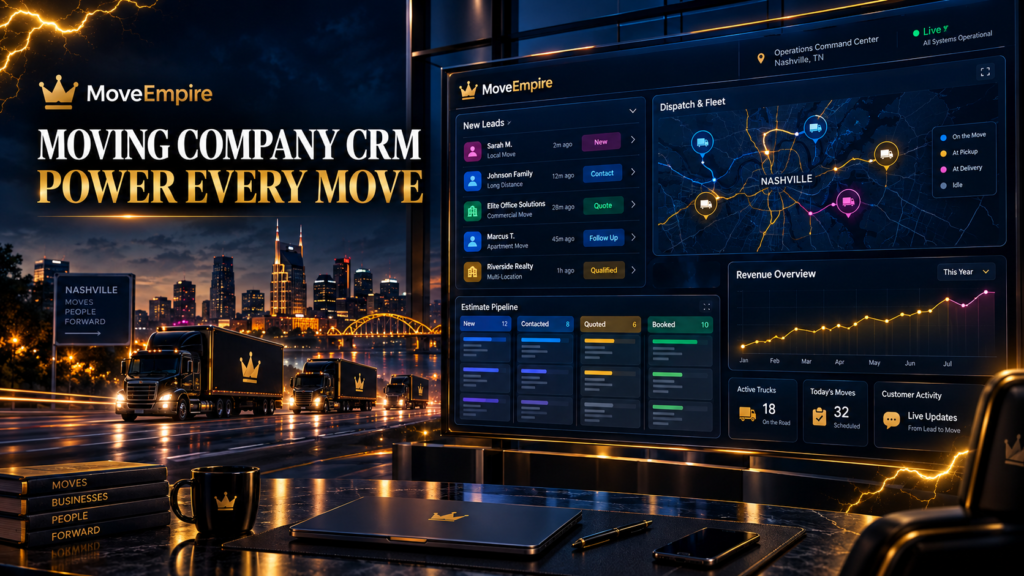
    MoveEmpire gives moving-company owners one vivid command center for leads, estimates, dispatch, customer communication, team visibility, and scalable growth. Our home base is Nashville, Tennessee, while the software is built for operators across all 50 states and supported markets worldwide.

    One Operating System for a Moving Business Without Borders

    A moving company may begin with one truck, one market, and an owner answering every call. Growth quickly creates a different challenge. Leads arrive from multiple sources. Estimators need accurate information. Dispatchers need to know which crews and vehicles are available. Customers expect fast updates. Managers need to see performance without chasing spreadsheets, text threads, or handwritten notes. MoveEmpire brings those moving parts together so an owner can operate with greater clarity.

    MoveEmpire is designed for moving businesses, not for a generic sales department. It supports the path from the first customer inquiry through quoting, booking, job coordination, follow-up, and reporting. A Nashville operator can use the same structured workflow as a team serving several states or coordinating business across national borders. The platform gives everyone an agreed source of truth while preserving the flexibility that real moving operations require.

    Our Nashville home base influences the product in an important way: MoveEmpire is being shaped around the daily realities of owner-operated moving companies. It is not presented as a distant theory about how movers should work. It reflects the pressure of responding to prospects quickly, assigning crews responsibly, protecting the customer experience, and understanding whether marketing dollars are producing booked work.

    Location clarity: Nashville, Tennessee is MoveEmpire’s primary home base. References to states, countries, or global markets describe software availability and the locations of customers that may use the platform; they do not represent a physical MoveEmpire office in every location.

    Built for the Complete Moving-Customer Journey

    Capture and Organize Leads

    Bring inquiries into a consistent sales workflow. Record customer details, origin and destination information, moving dates, service needs, and follow-up activity. Teams can reduce missed opportunities because the next action is visible instead of buried in an inbox or a personal phone.

    Manage Multiple Moving Locations FAQs

    What is Manage Multiple Moving Locations?

    It is a practical workflow for organizing moving-company leads, customers, estimates, jobs, communication, and reporting in one connected system.

    Who should use it?

    Owners, sales teams, estimators, dispatchers, customer-service staff, and operations leaders can use it with role-appropriate access.

    How does it improve lead follow-up?

    It keeps inquiry details, next actions, and communication history visible so teams can respond consistently.

    Can it support estimates?

    Yes. Organized inventory and move details can help authorized staff prepare and review clearer estimates.

    Does it help dispatch teams?

    Connected job, crew, truck, date, and customer information can reduce handoff gaps during dispatch.

    Can multiple locations use it?

    Centralized visibility can support authorized teams across branches while preserving consistent workflows.

    What information should be prepared first?

    Prepare lead sources, customer fields, service types, pricing rules, user roles, and current operating procedures.

    How long does setup take?

    Timing depends on data quality, workflow complexity, integrations, and team availability; staged implementation is usually safest.

    Is employee training important?

    Yes. Training helps staff use the system consistently, protect customer information, and understand review responsibilities.

    What is the next step?

    Review MoveEmpire onboarding and pricing resources, document your workflow requirements, and apply for a product conversation.

    Related resources: onboarding, pricing, and moving company software.

    Create Faster Estimates

    Give sales representatives a structured place to prepare and manage moving estimates. Consistent information helps operators quote with greater confidence, compare opportunities, and move qualified customers toward a booking. Learn more about moving estimate software.

    Coordinate Dispatch

    Turn booked work into an organized operating plan. Dispatch visibility helps teams coordinate jobs, crews, dates, and resources without relying on scattered messages. Explore the moving dispatch software workflow.

    Strengthen Communication

    Keep customer and team information connected to the correct opportunity or job. That context supports clearer handoffs between sales, operations, and management. It also helps a growing company deliver a more consistent experience across locations and time zones.

    See Multi-Location Performance

    Owners need a useful view across branches, territories, and teams. MoveEmpire helps create operating consistency while letting leaders compare activity and make informed decisions. See how multi-location moving software supports expansion.

    Build Repeatable Growth

    Growth becomes more manageable when lead handling, estimates, booking, dispatch, and reporting follow repeatable standards. MoveEmpire provides the connected foundation that helps an owner move from personally controlling every detail to leading a capable organization.

    Available to Moving Companies Across All 50 States

    Moving companies operate differently across the United States. A dense city market may require tight scheduling and precise arrival windows. A suburban operator may cover a wide service radius. Interstate movers must coordinate long-distance routes, customer expectations, and multiple operational milestones. MoveEmpire provides a shared digital framework that can be configured around each company’s market, team, and services.

    The platform can support independent local movers, growing regional brands, interstate operators, franchises, van lines, specialty movers, and multi-location organizations. The software does not replace a company’s responsibility to follow applicable federal, state, and local requirements. Instead, it helps the business keep its commercial and operational information organized so its people can work from a consistent process.

    • Alabama
    • Alaska
    • Arizona
    • Arkansas
    • California
    • Colorado
    • Connecticut
    • Delaware
    • Florida
    • Georgia
    • Hawaii
    • Idaho
    • Illinois
    • Indiana
    • Iowa
    • Kansas
    • Kentucky
    • Louisiana
    • Maine
    • Maryland
    • Massachusetts
    • Michigan
    • Minnesota
    • Mississippi
    • Missouri
    • Montana
    • Nebraska
    • Nevada
    • New Hampshire
    • New Jersey
    • New Mexico
    • New York
    • North Carolina
    • North Dakota
    • Ohio
    • Oklahoma
    • Oregon
    • Pennsylvania
    • Rhode Island
    • South Carolina
    • South Dakota
    • Tennessee
    • Texas
    • Utah
    • Vermont
    • Virginia
    • Washington
    • West Virginia
    • Wisconsin
    • Wyoming

    Global Software Reach With Local Operating Control

    MoveEmpire’s long-term vision extends beyond the United States. Moving and relocation businesses in supported global markets face many of the same core challenges: turning inquiries into booked work, keeping customer records organized, coordinating teams, following up on time, and understanding business performance. A cloud-based command center can help those operators replace disconnected tools with a clearer workflow.

    International availability may depend on internet access, language needs, currencies, payment integrations, data rules, local laws, and feature compatibility. A business should confirm that the current MoveEmpire configuration meets its requirements before adoption. We do not claim a physical office or local regulatory approval in every country. We offer software access to eligible businesses and work to expand useful support responsibly.

    For companies that manage work across borders, standardized processes are especially valuable. A shared lead status means the same thing to every location. Estimate information follows an agreed structure. Managers can establish role-based expectations. Leadership can compare performance without rebuilding reports from incompatible spreadsheets. This consistency helps a company preserve its service standards while adapting the customer experience to each local market.

    Time-zone differences also make visibility essential. When one team ends its day and another begins, the latest notes, status, and next steps should not live only in someone’s memory. A connected moving company CRM creates continuity, while clear ownership reduces duplicated outreach and neglected follow-up.

    Why Owner-Operated Experience Builds Better Software

    Moving companies earn trust through execution. The customer does not judge a company by a dashboard alone; the customer remembers whether the team responded, arrived prepared, communicated clearly, protected belongings, and completed the move professionally. Software should reinforce those behaviors. MoveEmpire is built around the owner’s need to see what is happening and the team’s need to know what comes next.

    An owner-operated perspective changes product priorities. Speed matters because a delayed response can lose a qualified lead. Accurate job information matters because the wrong details can disrupt a crew’s day. Accountability matters because growth creates more handoffs. Reporting matters because revenue without visibility into the pipeline can hide serious weaknesses. MoveEmpire connects these priorities within one operating environment.

    This approach is designed to build trust inside the company as well. Sales can see whether an opportunity is progressing. Operations can receive cleaner job information. Managers can coach from visible activity rather than assumptions. Owners can create standards without monitoring every conversation manually. Customers benefit when the organization becomes more consistent.

    MoveEmpire is not a promise that software alone will produce a successful company. Strong leadership, service quality, training, regulatory compliance, financial discipline, and customer care remain essential. The platform’s role is to give those efforts a clearer system so people can execute them repeatedly.

    Flexible Pricing for the Stage of Your Empire

    A new moving company and a multi-location operator do not have identical requirements. MoveEmpire’s introductory price is $130 per month for months 1–12, totaling $1,560 for the first year. Beginning in month 13, the regular price is $500 per month. Operators should confirm the current terms, included capabilities, user limits, and any implementation scope on the official pricing page before subscribing.

    When comparing cost, consider the full operating picture. Separate subscriptions for lead tracking, estimating, scheduling, messaging, reporting, and administration may create duplicated work even when each individual tool appears inexpensive. A connected system can reduce repeated data entry, improve visibility, and simplify training. The meaningful question is not only the monthly subscription price; it is whether the platform helps the company create a faster, clearer, and more accountable workflow.

    Before choosing a plan, identify the number of users, locations, average monthly leads, desired integrations, reporting requirements, and rollout timeline. A focused implementation produces better results than activating every feature without an operating plan. Review current MoveEmpire pricing, then request a demonstration or start registration when the fit is clear.

    How to Launch MoveEmpire Across One or Many Markets

    1. Map the Current Workflow

    Document how a lead becomes a completed job today. Identify where information is retyped, where follow-up slows down, which handoffs fail, and which reports the owner cannot see quickly. This creates a practical baseline for implementation.

    2. Define Roles and Standards

    Decide who owns initial response, qualification, estimating, booking, dispatch, customer updates, and post-job follow-up. Establish what each status means. Clear definitions allow a Nashville team and a distant location to follow the same operating language.

    3. Configure the Core Pipeline

    Begin with the customer journey that produces revenue. Set up lead stages, required information, estimate steps, and booking expectations. Avoid unnecessary complexity during the first rollout; add deeper automation after the team follows the core process.

    4. Train With Real Scenarios

    Use realistic moving inquiries, schedule changes, long-distance opportunities, and multi-location handoffs during training. Team members learn faster when they can connect each action to a situation they encounter in daily operations.

    5. Review Adoption and Results

    Monitor whether leads are entered correctly, next actions are assigned, estimates move forward, and managers use reporting. Process quality should be reviewed before judging business outcomes. Consistent data creates more useful decisions.

    6. Expand Deliberately

    After one workflow or market performs consistently, extend the standard to additional teams, states, or supported countries. Maintain a shared operating foundation while documenting the local adaptations each market legitimately requires.

    Designed for Local Movers, Interstate Teams, and Global Growth

    Local moving companies can use MoveEmpire to tighten response time, organize estimates, and coordinate daily jobs. Long-distance operators can maintain clearer customer and route information across a longer sales and service cycle. Multi-location brands can create shared standards while viewing activity across branches. International relocation businesses in supported markets can organize their commercial workflow within a common platform.

    The system is also valuable when an owner is preparing the company to grow. A business that depends on one person’s memory is difficult to scale. A business with documented stages, visible responsibility, and connected customer information can train more effectively. MoveEmpire turns practical operating knowledge into a process the team can follow.

    For lead-focused teams, read our guide to moving lead management software. For a wider platform overview, visit moving company software. Operators evaluating artificial intelligence can explore AI software for moving companies. These resources explain how the connected parts support the entire customer lifecycle.

    MoveEmpire’s goal is straightforward: give moving-company leaders a clearer way to build, operate, and expand their empire. Nashville is home. The United States is the national service footprint for software availability. Supported global markets are part of the broader vision. Wherever the operator works, the standard remains the same—organized information, accountable action, and a better view of the business.

    What to Evaluate Before Choosing Moving Company Software

    Moving-company software should solve identifiable operating problems, not simply add another login. Begin by measuring how long it takes the team to respond to a new inquiry, how frequently follow-up is missed, how many times customer information is copied between tools, and how quickly management can understand the pipeline. These facts provide a useful standard for evaluating a new platform.

    Next, examine usability. A feature has little value when the people responsible for using it cannot understand the workflow. Sales representatives should be able to identify the next action. Dispatchers should be able to find the information needed for the day. Managers should be able to recognize stalled opportunities and operating gaps. Owners should be able to review the business without building a report from scratch every morning.

    Data quality deserves equal attention. Decide which customer and job details are required, who may change them, and when information should be reviewed. Consistent inputs make reporting more reliable. Inconsistent inputs can produce attractive dashboards that do not reflect reality. MoveEmpire should be implemented with clear standards so the system supports good management instead of merely storing more records.

    Companies operating across multiple states or countries should also evaluate local differences before standardizing every step. Service terminology, taxes, consumer disclosures, currencies, contracts, privacy duties, and payment methods may vary. Keep the core customer journey consistent where possible, then document the legitimate adaptations for each market. That balance preserves operating clarity without ignoring local responsibility.

    Finally, evaluate implementation support and internal ownership. Assign one leader to maintain standards, answer process questions, and review adoption. Schedule checkpoints after launch to identify friction and improve training. A platform becomes valuable when people use it consistently, managers reinforce the process, and leadership turns accurate information into action.

    How to Manage Multiple Moving Company Locations FAQs

    1. Where is MoveEmpire based?

    MoveEmpire’s primary home base is Nashville, Tennessee. The platform is available online to eligible moving businesses across the United States and in supported global markets. Software availability does not mean MoveEmpire maintains a physical office in every state or country.

    2. Is MoveEmpire available in all 50 states?

    MoveEmpire is designed for online availability to moving companies throughout all 50 U.S. states, subject to account eligibility, current product capabilities, internet access, and applicable requirements. Companies remain responsible for following the laws and regulations governing their own operations.

    3. Can moving companies outside the United States use MoveEmpire?

    Eligible businesses in supported international markets may use MoveEmpire when the current product, language, integrations, data handling, and payment capabilities fit their needs. International operators should confirm compatibility for their market before rollout.

    4. Does MoveEmpire have offices around the world?

    No such claim is made. Nashville is identified as the primary home base. State and country references on this page describe the potential reach of the cloud software, not a network of physical MoveEmpire offices.

    5. Can one account support multiple moving-company locations?

    MoveEmpire is built with multi-location operations in mind. Exact account structure and available controls depend on the current plan and configuration. Operators should review the multi-location features and current pricing before selecting a rollout approach.

    6. What types of moving companies can use MoveEmpire?

    The platform can serve local residential movers, commercial movers, long-distance operators, specialty moving businesses, regional companies, franchises, and multi-location organizations. The best fit depends on the company’s workflow and required features.

    7. Does MoveEmpire replace moving licenses or compliance systems?

    No. MoveEmpire is business operations software. It does not replace licenses, insurance, tariffs, consumer disclosures, tax obligations, data-protection duties, or other legal requirements. Each operator is responsible for compliance in every market it serves.

    8. How much does MoveEmpire cost?

    The introductory price is $130 per month for months 1–12, or $1,560 for the first year. The regular price becomes $500 per month beginning in month 13. Confirm current terms and inclusions on the official pricing page.

    9. Can MoveEmpire help a Nashville moving company expand nationally?

    MoveEmpire can provide the structured lead, estimate, dispatch, communication, and reporting foundation needed for organized growth. Expansion results still depend on leadership, demand, service quality, staffing, finance, compliance, and execution; the software does not guarantee growth.

    10. How do we get started?

    Review the current features and pricing, map your existing workflow, identify the users and locations involved, and create an account or request the available sales experience. Start with the core customer journey, train the team, and expand after the process is working consistently.

    Operate Locally • See Globally • Grow Clearly

    Build Your Moving Empire From One Command Center

    Connect your sales and operations around a system built for the way moving businesses work. Start in Nashville, serve one city, expand across the United States, or coordinate supported global markets with a clearer operating foundation.

    Managing Every Branch

    Learn how to manage multiple moving company locations with multi-location mover operations, moving branch management, a centralized moving company CRM, moving company expansion software, and multi-office dispatch software.

    manage multiple moving locations Decision Checklist

    Use manage multiple moving locations to document ownership, review steps, and measurable goals. Compare each manage multiple moving locations workflow against current response time, data quality, staff responsibilities, and customer experience. A successful manage multiple moving locations rollout includes training, permissions, testing, and regular review. Evaluate manage multiple moving locations with clear requirements instead of choosing features in isolation.

    For industry compliance and consumer-protection context, review the FMCSA Protect Your Move program.

    multiple moving company locations: Practical Evaluation

    multiple moving company locations should support clear ownership, consistent review, and measurable business goals. Compare each multiple moving company locations workflow with the process your team uses today. Test multiple moving company locations with realistic leads, estimates, jobs, and customer updates before full rollout. Review multiple moving company locations results regularly with the employees who use the system.

    Standardize the Core, Preserve Local Accountability

    Use shared customer fields, lead stages, estimate review rules, scheduling practices, and reporting definitions across branches. Then assign role-appropriate access and preserve responsibility within each market. MoveEmpire supports company-wide visibility and organized location workflows without removing the need for local management and review.

  • How Moving Companies Create Faster Estimates

    How Moving Companies Create Faster Estimates

    How Moving Companies Create Faster Estimates

    MoveEmpire Operations Guide

    How Moving Companies Create Faster Estimates begins with a simple operational truth: speed matters, but a fast number that cannot be explained, approved, scheduled, or fulfilled is not a useful estimate. The best quoting process combines quick lead capture, consistent pricing inputs, clear scope notes, professional presentation, and disciplined follow-up.

    One workflowLead details, scope, price, and follow-up
    Owner-ledDesigned around real moving operations
    U.S. + globalNashville-based platform availability

    Why estimate speed affects moving-company revenue

    A prospective customer rarely contacts only one mover. They may submit several forms, call multiple offices, request referrals, and compare reviews within the same hour. Every delay creates space for another company to answer first, clarify the job, establish trust, and secure the booking. A prompt estimate does not guarantee a sale, but an inconsistent or slow response can lose a qualified opportunity before the sales conversation really begins.

    Estimate speed also shapes the customer’s first impression of the operation. When information must be copied between notebooks, inboxes, spreadsheets, calculators, and disconnected applications, the customer feels the friction. They repeat details, wait for callbacks, receive conflicting answers, or get a document that does not reflect the move they described. A connected process helps the team appear organized because the team actually has better access to organized information.

    The objective is not to rush every job into a fixed price. Some moves require a virtual survey, an in-home review, specialty-item research, building-access confirmation, or carrier and jurisdiction considerations. The objective is to remove unnecessary delay while preserving the checks that protect the customer and the moving company. That distinction matters: faster estimates come from better workflow design, not from guessing faster.

    Practical principle: automate collection, calculation support, document assembly, reminders, and status visibility. Keep human judgment where inventory, access, valuation, specialty services, or unusual risk requires it.
    faster estimates
    A connected command center reduces re-entry and keeps every estimator working from the same customer and move details.

    The eight-part faster estimate workflow

    1 Capture the lead once

    Start with a consistent intake that collects the customer’s name, phone number, email address, origin, destination, move date or date range, service type, property details, and preferred contact method. Do not force the sales team to rebuild the lead from an email notification. The information should enter a central record that can support qualification, estimating, follow-up, booking, and operations.

    2 Qualify the request

    Not every inquiry is estimate-ready. Establish the minimum information required for different job types. A small local apartment move may follow one path; interstate, office, storage, piano, fine-art, or international-related work may require additional review. Clear qualification rules help representatives know when to quote, when to ask more questions, and when to escalate.

    3 Build structured inventory

    Inventory quality affects labor, equipment, truck space, materials, handling time, and risk. Use standardized room and item categories when possible, then document exceptions with notes, photographs, or survey results. A repeatable inventory process makes estimates easier to compare and update while reducing dependence on one person’s memory.

    4 Confirm access conditions

    Stairs, elevators, long carries, loading restrictions, narrow roads, parking permits, building certificates, shuttle needs, and appointment windows can materially affect a move. Put access questions inside the normal workflow instead of relying on a last-minute operations call. When a condition is unknown, label it and assign a follow-up task rather than hiding uncertainty.

    5 Apply approved pricing logic

    Define which rates, minimums, travel calculations, labor assumptions, materials, add-ons, discounts, taxes, and deposits the team may use. Permissions and approval rules can help prevent improvised pricing. Software should support the company’s lawful pricing method and published terms; it should not substitute for compliance review or experienced estimating judgment.

    6 Generate a clear document

    The customer should be able to see what is included, what is excluded, what remains conditional, how the price was developed, what action is required, and whom to contact. Plain language builds trust. Avoid presenting a preliminary range as a guaranteed final total, and make required disclosures visible according to the service and jurisdiction involved.

    7 Send and track promptly

    Once reviewed, send the estimate through the customer’s preferred approved channel and record the delivery. A visible status—drafted, awaiting review, sent, viewed, revised, accepted, declined, or expired—helps the team act without searching multiple inboxes. Confirm what delivery and tracking capabilities are currently available before purchase.

    8 Follow up with context

    A helpful follow-up references the actual move rather than sending a generic “just checking in” message. Representatives should see the last conversation, open questions, estimate version, requested date, and next step. Automation can create reminders or approved messages, while a team member handles objections, scope changes, and complex decisions.

    What information makes a moving estimate more accurate?

    Accuracy starts with a defined scope. Teams need enough detail to estimate the work that is reasonably known at the time. The exact required fields will differ by company, market, service, and applicable rules, but a useful framework covers customer contact information, locations, timing, inventory, services, access, special handling, valuation or protection choices, and unresolved conditions.

    Customer and route details

    Record complete origin and destination information as appropriate, along with phone and email details that have been verified. Note whether the customer’s dates are firm or flexible. For longer-distance or cross-border inquiries, document the actual service scope and confirm what the company can lawfully provide. “Global availability” for software means MoveEmpire may support operators accessing the platform in supported markets; it does not mean every moving company provides every international service.

    Inventory and services

    Separate the physical inventory from requested services. Packing, unpacking, disassembly, reassembly, storage, crating, debris removal, appliance preparation, and specialty handling create different operational requirements. Photographs can add context, but they should be associated with the correct customer and handled according to the company’s privacy practices.

    Unknowns and assumptions

    A professional estimate can acknowledge uncertainty. If elevator access is unconfirmed, an item’s dimensions are missing, or the destination has not been finalized, record the assumption and explain how a change could affect service or price. This is more trustworthy than burying an unsupported guess. It also gives the follow-up process a specific task: resolve the unknown before the crew is dispatched.

    MoveEmpire’s moving company CRM, lead management, and dispatch workflow are designed to connect the stages surrounding an estimate. Prospective buyers should confirm current feature availability, configuration options, integrations, and legal suitability for their operation.

    Estimator reviewing inventory and access details for a faster moving quote
    Structured inventory, service choices, and access notes make a quick estimate easier to review and explain.

    How MoveEmpire can reduce avoidable quoting delays

    MoveEmpire is positioned as a connected software command center for moving-company operations. It was shaped by an owner-operated perspective: the people responsible for growth also need visibility into whether leads are answered, estimates are progressing, follow-ups happen, booked work reaches dispatch, and teams use consistent processes. That operational continuity is the foundation of faster estimating.

    Instead of treating the estimate as an isolated PDF, a connected platform can keep it attached to the complete customer record. That context helps a representative review the original inquiry, see prior contact attempts, understand inventory updates, and identify the next required action. Leadership can then examine broader patterns such as response delays, stalled estimates, incomplete records, or inconsistent stage usage.

    Automation should be applied deliberately. A system may help assign new inquiries, alert a representative, schedule a follow-up, or move an internal task forward based on approved rules. However, sensitive decisions and unusual moves still need trained review. The strongest process makes routine work faster and makes exceptions more visible.

    For multi-location organizations, consistency becomes even more important. Standard fields, stages, templates, and permission rules can create a shared operating language while still allowing authorized differences where markets require them. Visit the multi-location moving software guide for a closer look at that challenge.

    Nashville roots, broader software availability

    MoveEmpire’s main base is Nashville, Tennessee. The platform is intended for moving businesses across the United States and in supported global markets. That statement concerns software availability, not claims of a MoveEmpire office in every state or country. Operators should confirm current availability, support coverage, data handling, integrations, currency, language, and regulatory fit for their own location before subscribing.

    A 30-day plan for faster estimates

    1. Days 1–5: Measure the current process. Track the time from inquiry to first response, first response to completed discovery, discovery to estimate, and estimate to follow-up. Sample enough records to identify where work actually waits.
    2. Days 6–10: Standardize intake. Agree on required fields by job type. Remove duplicate entry and clarify which system owns customer, move, pricing, and status information.
    3. Days 11–15: Define pricing governance. Document approved rates, permissions, minimums, discounts, escalation rules, assumptions, and required review. Have appropriate professionals check compliance where necessary.
    4. Days 16–20: Improve templates. Make estimate language clear and consistent. Add recognizable next steps, response instructions, expiration or revision information where appropriate, and required disclosures.
    5. Days 21–25: Create follow-up rules. Decide when reminders happen, when automation is suitable, when a person must call, and when an inactive opportunity should be closed or nurtured.
    6. Days 26–30: Train and review. Test the workflow with representative move types, inspect errors, gather user feedback, and revise before scaling it across teams or locations.

    Measure quality alongside speed. Useful operating indicators may include completeness of intake, revision frequency, estimate response time, follow-up completion, booking conversion by qualified lead source, cancellation patterns, and the frequency of material scope changes. Define each metric clearly so the team does not reward quick but incomplete estimates.

    Hold a short weekly review during the first month. Select a few estimates that booked, a few that stalled, and a few that required major revision. Ask whether the original lead record was complete, whether the estimator could find the needed facts, whether the customer understood the document, and whether operations received the same scope that sales discussed. Record the lesson as a process improvement rather than blaming one employee. Small changes to a required field, template sentence, approval rule, or reminder can remove repeated friction across hundreds of future inquiries. Continue monitoring after launch because seasonality, staffing, service expansion, and new locations can expose delays that were not visible during the initial rollout.

    Moving company team using MoveEmpire to send estimates and follow up
    Faster estimates work best when sales and operations share clear stages, ownership, and next actions.

    MoveEmpire pricing for a growing moving business

    MoveEmpire’s introductory price is $130 per month for months one through twelve, which totals $1,560 for the first year when paid monthly. Beginning in month thirteen, the regular price is $500 per month. Buyers should review the complete current offer, included features, limits, onboarding details, billing terms, cancellation terms, taxes, and any optional services before subscribing.

    The first-year rate gives a new customer time to configure the platform, train the team, establish clean habits, and evaluate operational adoption. The value should be judged against real outcomes: fewer lost inquiries, more consistent response, clearer estimates, reliable follow-up, improved handoff to operations, and better leadership visibility. Software alone does not create those outcomes; process ownership and team adoption remain essential.

    See the full MoveEmpire pricing breakdown, review the MoveEmpire FAQ, and compare the workflow with the broader moving company software overview.

    Frequently asked questions about faster moving estimates

    1. How quickly should a moving company send an estimate?

    The right timing depends on the move and the information available. A straightforward, well-documented local request may be estimated quickly, while a complex interstate, commercial, specialty, or survey-dependent move may require more discovery. Set response and review standards by job type. Respond promptly even when a final estimate is not ready, tell the customer what information is missing, and provide a realistic next step.

    2. Can moving estimate software improve accuracy?

    Software can improve consistency by organizing inventory, services, access details, approved pricing inputs, assumptions, versions, and templates. Accuracy still depends on correct information, sensible configuration, trained people, and appropriate review. No application can reliably compensate for missing inventory, undisclosed access conditions, or unsupported pricing assumptions.

    3. What causes moving estimates to take too long?

    Common causes include incomplete lead forms, repeated data entry, unclear ownership, missing inventory, unconfirmed access, pricing approvals, disconnected tools, inconsistent templates, and no defined follow-up. Measure where records wait before buying technology. The most valuable improvement often comes from combining clear process rules with a connected system.

    4. Should every estimate be automated?

    No. Automation is most useful for predictable administrative steps such as assignment, reminders, task creation, approved communications, and status visibility. Human review remains important for unusual inventory, complex access, specialty handling, high-value items, unclear scope, pricing exceptions, and regulatory questions. Build an escalation path rather than forcing every move through one rule.

    5. What should a professional moving estimate include?

    It should clearly identify the customer and move, describe the known service scope, show applicable pricing information, explain material assumptions or conditions, state what is included and excluded, provide required disclosures, and give the customer a clear next action. Requirements vary, so a moving company should confirm the rules that apply to its services and jurisdictions.

    6. How does CRM information help an estimator?

    A centralized CRM record can show the original source, contact details, conversation history, inventory notes, prior versions, open questions, tasks, and customer preferences. That context reduces repeated questions and helps the estimator continue the conversation accurately. Role-based access and responsible data practices should govern who can see and change sensitive information.

    7. Can MoveEmpire support multi-location estimate workflows?

    MoveEmpire is designed around connected visibility for moving businesses, including multi-location operations. Organizations can benefit from shared stages, fields, templates, responsibilities, and reporting. Confirm current capabilities, permissions, location configuration, integrations, and support directly with MoveEmpire because product functionality can change.

    8. Is MoveEmpire available outside Nashville?

    Yes. Nashville, Tennessee is MoveEmpire’s primary base, while the software is intended for customers across the United States and in supported global markets. This does not mean MoveEmpire maintains a physical office in every location. International customers should verify current access, support, data, language, payment, and legal suitability.

    9. How much does MoveEmpire cost?

    The stated introductory rate is $130 per month for the first twelve months, totaling $1,560 for year one when paid monthly. The regular price becomes $500 per month beginning in month thirteen. Review the live pricing page and complete current terms before purchase because inclusions, conditions, and offers may change.

    10. What is the first step toward faster estimates?

    Map the current workflow using real recent leads. Record where information enters, who owns each step, what is repeatedly requested, where approval waits, and how follow-up occurs. Then standardize the minimum information and next actions. Technology is most effective after the company agrees on the process it wants the platform to support.

    Turn estimate speed into a better customer experience

    How Moving Companies Create Faster Estimates is ultimately a guide to operational clarity. Capture the right information once, document inventory and access, use approved pricing logic, communicate assumptions, deliver a professional document, and follow up with context. When those steps live in a connected workflow, customers receive answers sooner and teams gain a more reliable path from inquiry to booked work.

    MoveEmpire brings an owner-operated perspective to that challenge from its Nashville base, serving moving-company operators across the United States and supported international markets. Explore the platform, confirm current functionality, and build a rollout plan around measurable improvements rather than software activation alone.

    Create Faster Moving Estimates FAQs

    What is Create Faster Moving Estimates?

    It is a practical workflow for organizing moving-company leads, customers, estimates, jobs, communication, and reporting in one connected system.

    Who should use it?

    Owners, sales teams, estimators, dispatchers, customer-service staff, and operations leaders can use it with role-appropriate access.

    How does it improve lead follow-up?

    It keeps inquiry details, next actions, and communication history visible so teams can respond consistently.

    Can it support estimates?

    Yes. Organized inventory and move details can help authorized staff prepare and review clearer estimates.

    Does it help dispatch teams?

    Connected job, crew, truck, date, and customer information can reduce handoff gaps during dispatch.

    Can multiple locations use it?

    Centralized visibility can support authorized teams across branches while preserving consistent workflows.

    What information should be prepared first?

    Prepare lead sources, customer fields, service types, pricing rules, user roles, and current operating procedures.

    How long does setup take?

    Timing depends on data quality, workflow complexity, integrations, and team availability; staged implementation is usually safest.

    Is employee training important?

    Yes. Training helps staff use the system consistently, protect customer information, and understand review responsibilities.

    What is the next step?

    Review MoveEmpire onboarding and pricing resources, document your workflow requirements, and apply for a product conversation.

    Related resources: onboarding, pricing, and moving company software.

    Creating Estimates Faster

    Faster moving estimates come from moving estimate automation, quick moving quotes, digital estimating for movers, moving inventory quoting, and a process designed to speed up moving estimates.

    create faster moving estimates Decision Checklist

    Use create faster moving estimates to document ownership, review steps, and measurable goals. Compare each create faster moving estimates workflow against current response time, data quality, staff responsibilities, and customer experience. A successful create faster moving estimates rollout includes training, permissions, testing, and regular review. Evaluate create faster moving estimates with clear requirements instead of choosing features in isolation.

    For industry compliance and consumer-protection context, review the FMCSA Protect Your Move program.

    faster estimates: Practical Evaluation

    faster estimates should support clear ownership, consistent review, and measurable business goals. Compare each faster estimates workflow with the process your team uses today. Test faster estimates with realistic leads, estimates, jobs, and customer updates before full rollout. Review faster estimates results regularly with the employees who use the system.

    Keep Estimate Inputs Connected to the Customer Record

    Faster estimating starts with organized information. Keep the customer’s contact details, move dates, origin and destination, requested services, inventory notes, pricing inputs, and follow-up status connected to the same record. MoveEmpire helps authorized staff prepare and review estimates without repeatedly transferring details between disconnected tools. Final prices and commitments remain the moving company’s responsibility.

  • Moving Dispatch Software: Complete 2026 Guide

    Moving Dispatch Software: Complete 2026 Guide


    The modern mover’s command center

    Moving Dispatch Software: Complete 2026 Guide

    Moving dispatch software gives owners, managers, dispatchers, salespeople, and crews one reliable place to coordinate jobs from the first lead through the final follow-up.

    Explore MoveEmpire
    See introductory pricing

    What Is Moving Dispatch Software?

    Moving dispatch software is an operating system for assigning crews, scheduling jobs, organizing move details, tracking changes, and keeping the office and field aligned. Instead of relying on a wall calendar, a stack of paperwork, scattered text messages, and several disconnected spreadsheets, a moving company can maintain a shared view of what is happening, who is responsible, and what needs attention next.

    The best dispatch workflow begins before a truck leaves the yard. It receives accurate information from sales and estimating, turns a booked move into a schedulable job, confirms that the right labor and equipment are available, shares practical instructions with the crew, records changes, and returns completed information to the office. Dispatch is not one isolated department. It is the bridge between a company’s promise and the customer’s real experience.

    MoveEmpire is an owner-operated software company built from the perspective of real moving operations. Its home base is Nashville, Tennessee, while the platform is designed for moving businesses serving customers across all 50 states and supported global markets. That operating background shapes the product’s priorities: clear information, fast decisions, visible responsibility, and fewer costly surprises.

    moving dispatch software

    Why Dispatch Becomes the Bottleneck

    A small mover may coordinate a few jobs with calls and a calendar. As demand grows, the same informal process begins to break. A salesperson books an afternoon move but dispatch sees a morning time. A crew receives an old address. A truck is assigned twice. An elevator restriction never reaches the foreman. A customer changes the inventory, but the labor plan remains unchanged. None of these failures looks dramatic by itself, yet together they create overtime, refunds, negative reviews, and exhausted employees.

    The underlying problem is usually not effort. Moving teams work extremely hard. The problem is that information travels through channels that were never designed to serve as an authoritative operating record. A group text can communicate quickly, but important instructions disappear in conversation. A spreadsheet can organize rows, but it may not show which update is final. A paper bill of lading can document a move, but the dispatcher cannot use it to prevent tomorrow’s scheduling conflict.

    Modern dispatch software reduces this friction by making work visible. It should show scheduled jobs, job status, assigned resources, important notes, and unresolved exceptions without forcing the user to reconstruct the day from several systems. The objective is not to make every decision automatically. It is to give responsible people enough accurate context to make better decisions sooner.

    A dependable process also protects the company during busy season. When phones are ringing, customers are changing dates, and crews are already working, the team cannot depend on one person remembering every detail. Documented ownership, time-stamped changes, and a consistent schedule create operational memory. A manager can step in, understand the situation, and continue the work without restarting the conversation. That continuity supports faster service, calmer employees, and a more professional response when the unexpected happens.

    The Complete Dispatch Workflow

    1. Capture the Lead

    Record contact details, origin, destination, move date, service type, and communication history. Clear ownership prevents duplicate or forgotten follow-up.

    Moving Company Dispatch Guide FAQs

    What is Moving Company Dispatch Guide?

    It is a practical workflow for organizing moving-company leads, customers, estimates, jobs, communication, and reporting in one connected system.

    Who should use it?

    Owners, sales teams, estimators, dispatchers, customer-service staff, and operations leaders can use it with role-appropriate access.

    How does it improve lead follow-up?

    It keeps inquiry details, next actions, and communication history visible so teams can respond consistently.

    Can it support estimates?

    Yes. Organized inventory and move details can help authorized staff prepare and review clearer estimates.

    Does it help dispatch teams?

    Connected job, crew, truck, date, and customer information can reduce handoff gaps during dispatch.

    Can multiple locations use it?

    Centralized visibility can support authorized teams across branches while preserving consistent workflows.

    What information should be prepared first?

    Prepare lead sources, customer fields, service types, pricing rules, user roles, and current operating procedures.

    How long does setup take?

    Timing depends on data quality, workflow complexity, integrations, and team availability; staged implementation is usually safest.

    Is employee training important?

    Yes. Training helps staff use the system consistently, protect customer information, and understand review responsibilities.

    What is the next step?

    Review MoveEmpire onboarding and pricing resources, document your workflow requirements, and apply for a product conversation.

    Related resources: onboarding, pricing, and moving company software.

    2. Build the Estimate

    Translate inventory, access conditions, distance, labor, materials, and special handling into a documented quote the customer can understand.

    3. Confirm the Booking

    Verify the accepted scope, timing, addresses, customer contact, deposit status, and constraints before the job enters the dispatch schedule.

    4. Assign Resources

    Match crew skills, availability, vehicle capacity, geography, and estimated duration to the work rather than choosing from memory.

    5. Run the Move

    Provide the field team with the current job record and a defined way to communicate arrival, progress, exceptions, and completion.

    6. Close the Loop

    Return completion details, approved changes, customer feedback, balances, documents, and follow-up tasks to the office.

    Each stage should feed the next without manual re-entry wherever practical. Learn how the front end connects through moving lead management software and moving estimate software. When the same job data supports estimating and dispatch, teams spend less time copying information and have fewer opportunities to introduce errors.

    Features That Matter in 2026

    A visual schedule that reflects reality

    The calendar should make capacity understandable at a glance. Dispatchers need to see jobs by date, time, location, service, crew, and vehicle. Color and status labels should clarify the operation, not create visual noise. Useful scheduling also distinguishes tentative opportunities from confirmed bookings and completed work.

    Crew and vehicle assignment

    A name on a calendar is not enough. Dispatchers benefit from knowing availability, relevant skills, planned hours, capacity, and conflicts. Vehicle assignment should consider job size, access, distance, equipment, and maintenance availability. The software should support judgment by presenting the right information together.

    Mobile-ready job information

    Field teams need a focused view of what matters: addresses, contact instructions, arrival window, inventory or scope, special items, access notes, authorized changes, and completion steps. A smaller screen should not require workers to navigate the entire back office. Mobile access must be clear, fast, and based on appropriate permissions.

    Automated communication

    Confirmation and reminder workflows can reduce missed appointments and repetitive office work. Automation should support clear milestones, such as booking confirmation, upcoming-move reminders, crew assignment, arrival communication, and post-move follow-up. Messages still require accurate templates, appropriate consent, and human review when an exception occurs.

    Reporting and accountability

    Owners should be able to understand scheduled revenue, capacity, completion status, labor planning, cancellations, and operational exceptions. A report is valuable only if its definitions are consistent and the underlying data is maintained. Start with a small group of metrics that influence decisions, then expand after the team trusts the process.

    Connected moving company crew scheduling and dispatch workflow

    How Better Dispatch Improves Profit

    Dispatch has a direct relationship with margin. A poor assignment may increase drive time, create overtime, leave capacity unused, or send an oversized crew to a small job. Incomplete notes can force a second trip for equipment. An unrealistic duration can disrupt every job scheduled afterward. Better information does not remove every variable from moving, but it gives management a way to identify patterns and improve planning.

    Capacity is especially important. A calendar may look full while the company is still using trucks and labor inefficiently. Conversely, an apparently open slot may not be sellable because available resources are already committed geographically. Dispatch software should help operators distinguish calendar space from real capacity. This makes marketing and sales decisions more responsible because the company can pursue the work it can actually serve.

    Customer experience improves at the same time. Customers value accurate arrival windows, consistent communication, prepared crews, and a company that remembers what was discussed. The dispatcher often determines whether those expectations become reality. A shared job record lets the company respond confidently instead of asking the customer to repeat information.

    Practical goal: measure fewer avoidable surprises—not just more activity. Track late starts, unplanned overtime, missed equipment, duplicate assignments, customer-driven scope changes, and internal information errors separately.

    Dispatch for Local, Long-Distance, and Multi-Location Movers

    Local moving dispatch centers on daily capacity, travel time, crew readiness, parking, building restrictions, and realistic job duration. Routes may be short, but one delayed morning move can affect several afternoon customers. Clear status updates and controlled schedule changes matter because the operating window is compressed.

    Long-distance dispatch adds coordination across days and jurisdictions. Teams may need origin and destination contacts, delivery windows, overnight planning, documentation, customer updates, and contingency decisions. The authoritative job record becomes even more important because the customer and crew cannot simply return to the local office to resolve a misunderstanding.

    Multi-location operators need both local control and executive visibility. A Nashville dispatcher should manage Nashville work without unnecessary interference, while the owner may need a consolidated picture across branches. Standard job statuses, data definitions, permissions, and escalation rules allow locations to operate consistently while preserving appropriate responsibility.

    MoveEmpire supports operators in Nashville, across the United States, and in supported international markets. Platform availability does not mean MoveEmpire maintains a physical office in every market. Read more about scalable operations in the multi-location moving company software guide.

    Choosing Moving Company Dispatch Software

    Begin with the workflow rather than a feature checklist. Document how a lead becomes an estimate, how a booking reaches dispatch, how assignments are approved, how changes are communicated, and how jobs are closed. Ask the people doing the work where information is delayed, duplicated, missing, or difficult to trust. Those observations should guide the evaluation.

    Next, test realistic scenarios. Schedule two jobs that compete for the same crew. Change an address after booking. Add a bulky item that affects equipment. Reassign a foreman. Record a delayed arrival. Close a completed move and verify that follow-up is visible. A polished demo can make every platform look easy; a practical scenario reveals whether the system fits the operation.

    Consider usability and adoption. Software cannot improve dispatch if the team maintains a parallel shadow process because the official system feels confusing. Define which record is authoritative, assign administrators, train users by role, and establish simple standards for status, notes, and schedule changes.

    Finally, evaluate the commercial model. Consider setup effort, training, migration, integrations, support, future locations, and the cost of continuing with the current process. MoveEmpire’s introductory offer is $130 per month for months 1–12, totaling $1,560 for the first year, followed by the regular $500 per month beginning in month 13. Confirm current terms and included capabilities before purchasing because product scope and offers can change.

    A 30-Day Implementation Plan

    Week 1: map and clean

    List the current lead, estimate, booking, dispatch, field, and closeout steps. Identify the source of truth for customer and job information. Clean obvious duplicates and decide which historical records truly need migration. Name an owner for the implementation and one representative from each critical role.

    Week 2: configure the operating model

    Set users and access, define job statuses, establish scheduling conventions, create required fields, and prepare communication templates. Configure a small number of essential views first. Avoid reproducing every legacy workaround before the team understands the new workflow.

    Week 3: pilot real jobs

    Run a controlled group of active moves through the complete process. Observe sales, dispatch, crew, and closeout handoffs. Record questions and errors. Correct the workflow and training material rather than teaching employees to invent new side processes.

    Week 4: launch and review

    Move the broader team into the defined system, keep support accessible, and review exceptions each day. After the first full week, examine adoption, missing data, late changes, and reporting quality. Schedule another review after 30 and 90 days so the process continues improving.

    MoveEmpire dispatch software implementation across office and field devices

    Dispatch Automation Without Losing Human Judgment

    Automation is most useful for repeatable work with clear rules. It can send reminders, create follow-up tasks, flag missing details, update a status after an approved action, or notify a responsible person when a deadline approaches. These steps reduce administrative load and make consistency easier.

    Complex operational decisions still require context. A computer may recognize that two crews are available, but a dispatcher may know that one has the right equipment, experience, language capability, or geographic position. The strongest model keeps people responsible for consequential decisions while software gathers information, highlights conflicts, and carries out approved routine steps.

    Every automation needs an owner, trigger, intended outcome, and exception path. Review automated messages after pricing or policy changes. Avoid sending a confident customer update when the underlying job status is uncertain. Give staff a clear way to pause or correct an automation when reality changes.

    Owner-Operated Software Built for Movers

    MoveEmpire is owner-operated, which means the platform’s direction is tied closely to the practical realities of service businesses and moving companies. The objective is not to add technology for appearance. It is to help a company build a repeatable operating system that supports sales, estimating, dispatch, communication, multi-location management, and responsible growth.

    That perspective matters because dispatch is not merely a digital calendar. It is where promises, people, equipment, time, geography, and customer expectations collide. The software must help the owner see the business, help managers guide it, help dispatchers coordinate it, and help crews complete the work.

    Companies can explore the wider platform through moving company software, compare the CRM workflow through moving company CRM software, or review how AI may support operations in AI software for moving companies.

    Frequently Asked Questions

    1. What does moving dispatch software do?

    It helps moving companies schedule jobs, assign crews and vehicles, share current move details, track status, coordinate changes, and maintain a consistent operating record from booking through completion.

    2. Is dispatch software only for large moving companies?

    No. Small companies can use it to replace fragile manual processes, while larger and multi-location operators can use it to standardize visibility, permissions, reporting, and coordination across teams.

    3. Can MoveEmpire connect sales, estimates, and dispatch?

    MoveEmpire is designed around connected moving-company operations so lead information, estimating details, booking decisions, and dispatch work can follow a clearer workflow. Confirm the exact current features and integrations required by your company.

    4. How does software reduce scheduling mistakes?

    A shared schedule makes assignments, conflicts, statuses, and changes more visible. It can reduce mistakes caused by duplicate calendars or outdated messages, although teams still need accurate data and responsible review.

    5. Does dispatch software replace a dispatcher?

    No. It supports dispatchers by organizing information, highlighting conflicts, and automating repeatable tasks. Human judgment remains essential for complex assignments, customer situations, safety, and real-world exceptions.

    6. Can crews access job details on mobile devices?

    A mobile-ready workflow can provide crews with the current addresses, instructions, scope, and status actions appropriate to their role. Exact mobile capabilities should be verified during product evaluation.

    7. How long does implementation take?

    Timing depends on data quality, company size, workflow complexity, integrations, and training. A focused company can pilot a core workflow in approximately 30 days, then improve it in planned phases.

    8. What does MoveEmpire cost?

    The stated introductory price is $130 per month for months 1–12, or $1,560 for the first year. The regular price is $500 per month beginning in month 13. Confirm current terms before purchasing.

    9. Where is MoveEmpire available?

    MoveEmpire is based in Nashville, Tennessee, and is intended for moving operations serving all 50 U.S. states and supported global markets. Software availability does not imply a physical office in every location.

    10. What should I prepare before switching systems?

    Document the current workflow, clean essential customer and job data, define statuses and responsibilities, choose administrators, list required integrations, and identify a small group of real jobs for the pilot.

    Build a Clearer Dispatch Operation

    Moving dispatch software should make the day easier to understand and the business easier to manage. The right system connects accurate sales information with practical field execution, gives responsible people a shared view of work, and creates a foundation for improvement as the company grows.

    MoveEmpire brings that vision into one colorful, modern command center for owner-operated movers, expanding teams, and multi-location organizations. Start with the workflow that causes the most friction, establish a dependable source of truth, and build from there.

    Visit MoveEmpire
    Review pricing

    A Complete Dispatch Workflow

    This moving dispatch software guide covers a moving crew scheduling guide, mover dispatch management, moving job assignment software, dispatch workflow for movers, and crew coordination software.

    moving company dispatch guide Decision Checklist

    Use moving company dispatch guide to document ownership, review steps, and measurable goals. Compare each moving company dispatch guide workflow against current response time, data quality, staff responsibilities, and customer experience. A successful moving company dispatch guide rollout includes training, permissions, testing, and regular review. Evaluate moving company dispatch guide with clear requirements instead of choosing features in isolation.

    For industry compliance and consumer-protection context, review the FMCSA Protect Your Move program.

    moving dispatch software: Practical Evaluation

    moving dispatch software should support clear ownership, consistent review, and measurable business goals. Compare each moving dispatch software workflow with the process your team uses today. Test moving dispatch software with realistic leads, estimates, jobs, and customer updates before full rollout. Review moving dispatch software results regularly with the employees who use the system.

  • How to Automate Moving Leads and Follow-Up

    How to Automate Moving Leads and Follow-Up

    MoveEmpire Growth Automation

    How to Automate Moving Leads and Follow-Up

    Capture every inquiry, respond faster, keep your team accountable, and move each prospect toward a booked job—all without turning your moving company into a robotic call center.

    See MoveEmpire Pricing

    Automation Should Protect Every Revenue Opportunity

    A moving lead has a short attention span. Someone requesting a quote may contact several companies within minutes, compare reviews, ask a spouse for input, or go back to work before answering a call. If the first response arrives hours later, the opportunity may already belong to another mover. That is why learning how to automate moving leads and follow-up is no longer an optional experiment. It is an operating discipline.

    MoveEmpire is designed to help service-business teams organize the path from new inquiry to booked move. Instead of asking staff to remember every callback, manually copy information between systems, and search through email threads, a defined workflow can collect the lead, record its source, alert the right person, start a helpful response sequence, and keep the next action visible.

    The purpose is not to remove people. Moving is personal. Customers still need a knowledgeable human who can listen, clarify access conditions, discuss inventory, explain pricing, and build confidence. Good automation handles repetition and timing so employees can spend more energy on those valuable conversations.

    Owner-operated perspective: MoveEmpire’s workflow philosophy comes from the practical reality of running moving operations—not from a generic theory about sales funnels. Leads, estimates, crews, schedules, customer communication, and follow-up must work together.

    Where Moving Leads Commonly Fall Through

    Slow first response

    A quote request sits in an inbox while estimators are on calls or dispatch is handling the day. The customer continues searching and books a faster competitor.

    Unclear ownership

    Two employees assume the other person called, or several people contact the same prospect. Both outcomes weaken trust and make the operation look disorganized.

    Incomplete lead details

    Missing phone numbers, move dates, locations, inventory, or source data force staff to chase basic information before they can prepare a useful estimate.

    No consistent follow-up

    A strong estimate is sent once and forgotten. Without a scheduled next step, undecided customers receive no reminder, clarification, or reason to return.

    These problems rarely come from laziness. They come from fragmented processes. A staff member may work from a personal notebook, a shared spreadsheet, text messages, website notifications, and several email folders. Even talented people lose visibility when the system has no single source of truth.

    automate moving leads
    How to Automate Moving Leads and Follow-Up — unified lead dashboard concept.

    A Practical Moving Lead Automation Workflow

    Capture the inquiry in one record

    Connect lead forms and approved lead sources to a central customer record. Store the prospect’s name, phone, email, origin, destination, move date, service type, lead source, and notes. Validate required fields before the record enters the active pipeline. Clean information at the beginning prevents confusion later.

    Send an immediate acknowledgment

    Confirm that the request arrived and set a realistic expectation for the next response. The message should sound helpful, use the customer’s name, and identify the company. It should never pretend that a full estimate has been completed when a person still needs to review the details.

    Assign the correct owner

    Route the lead according to territory, move type, schedule, workload, or another clear business rule. Every active lead needs one accountable owner and one visible next action. If the assigned employee does not act within the expected window, an escalation alert can protect the opportunity.

    Qualify before estimating

    Collect the information needed to determine fit and prepare an accurate quote: addresses, stairs or elevators, walking distance, heavy items, packing needs, preferred dates, building restrictions, storage needs, and inventory. Automation can request missing details, but complex conditions should be reviewed by a trained person.

    Build and deliver the estimate

    Once the information is complete, prepare the estimate using the company’s approved pricing process. Deliver it through the customer’s preferred channel and record the delivery time. The workflow should create the next follow-up task automatically instead of leaving the estimator to remember it.

    Nurture with useful messages

    Follow-up should answer common concerns, clarify what is included, show how the process works, and make the next step easy. Alternate channels only when consent and company policy allow. A short sequence might combine a personal call, an estimate reminder, a preparation guide, and a final availability check.

    Stop, pause, or advance correctly

    When the customer books, opts out, chooses another company, changes dates, or becomes unresponsive, update the stage. Booked customers should leave the sales sequence immediately and enter onboarding. Opt-outs must be honored. Lost-lead reasons should be recorded so management can improve future campaigns.

    Build Follow-Up That Still Feels Human

    The fastest message is not always the best message. A generic blast can create activity while damaging confidence. Effective moving-company follow-up uses automation to deliver context at the right moment, then gives staff a clear opening for personal conversation.

    Use customer-specific context

    A useful follow-up references the requested move date, route, service, or missing information. “Are you still interested?” gives the customer work to do. “We have your Nashville-to-Atlanta request for October 12; would you like help reviewing the packing options?” gives the conversation direction.

    Choose a respectful cadence

    Not every prospect needs the same number of contacts. A move happening in three days requires a different pace than a move planned four months away. Build separate sequences for urgent, near-term, long-range, commercial, and incomplete inquiries. Place limits on frequency, define quiet hours, and follow applicable communication and consent requirements.

    Make handoffs visible

    When an automated reply produces a question, the response should return to an assigned person with the history attached. The customer should not need to repeat the same story. Notes, call outcomes, emails, tasks, and estimate activity belong in one timeline that authorized employees can understand.

    Automated moving customer follow-up timeline in MoveEmpire
    A clear timeline connects automated touches with personal conversations.

    Segment Leads Before You Automate Them

    One sequence cannot serve every moving customer well. Segmentation lets the business match timing and content to intent. Start with a small number of categories employees can apply consistently, then expand only when reporting shows a meaningful need.

    • Move urgency: same-day, within seven days, within thirty days, or future planning.
    • Service: local, long-distance, packing, labor-only, commercial, storage, or specialty needs.
    • Pipeline stage: new, contacted, qualified, estimate pending, estimate sent, decision pending, booked, lost, or nurture.
    • Lead source: organic search, paid campaign, referral, partner, social media, directory, or repeat customer.
    • Territory: Nashville home-market inquiries, other U.S. markets, multi-location territories, or supported international opportunities.

    Segmentation also improves management decisions. If one source generates many inquiries but few qualified opportunities, the team can examine targeting and cost. If estimates are delivered quickly but booking rates remain weak, the issue may involve sales conversations, pricing clarity, service fit, or customer trust—not response speed.

    Connect Sales Automation to Moving Operations

    A booked move is not the end of the workflow. It is the beginning of fulfillment. When sales and operations remain disconnected, staff retype information and introduce preventable errors. A useful platform carries approved customer, job, service, and scheduling details forward.

    After booking, the system can trigger an onboarding message, create preparation tasks, place the job into the scheduling process, notify the appropriate team, and establish reminders for required documents or customer confirmations. Operations staff should see the information needed to plan the move without being overwhelmed by irrelevant sales activity.

    After service, a separate workflow can request feedback, remind staff about unresolved issues, invite a review when appropriate, and create a future-touch opportunity. Every stage should have a clear purpose. Automation for its own sake creates noise; automation connected to an operating outcome creates leverage.

    Moving lead to booked job automation workflow
    From inquiry to booked job: connected data reduces repetitive entry and missed handoffs.

    Measure the Workflow, Not Just Message Volume

    A large number of automated emails does not prove that the system is working. Measure movement through the pipeline and the quality of the customer experience. Define each metric clearly before comparing teams, markets, or periods.

    Speed to first meaningful response

    Track the time from lead creation to a useful contact—not merely a system notification. Separate automated acknowledgment from personal response so management can see both.

    Contact and qualification rate

    Measure how many inquiries become two-way conversations and how many fit the company’s service area, schedule, and operating requirements.

    Estimate completion and booking rate

    Review the percentage of qualified leads that receive estimates, the time required, and the percentage that book. Compare by source and service type.

    Follow-up task completion

    Monitor whether assigned actions happen on time and which sequence steps produce replies, objections, appointments, or opt-outs.

    Also examine lost reasons, duplicate records, invalid contact information, canceled jobs, and customer complaints. Automation can magnify a good process, but it can magnify a flawed one too. A monthly workflow review helps the team remove weak messages, correct routing rules, and improve required fields.

    Protect Customer Data and Communication Preferences

    Lead automation handles information that customers expect a business to protect. Give each employee only the access needed for that person’s role, remove access promptly when responsibilities change, and use strong account-security practices. Review which integrations receive customer data and avoid copying sensitive information into personal notes, unapproved spreadsheets, or informal messaging channels.

    Automation rules should also respect communication preferences. Record consent where applicable, identify the business clearly, make opt-out requests easy to honor, and prevent a person who opted out from being quietly added to another sequence. Laws and platform rules can vary by location and communication channel, so the company should obtain appropriate professional guidance for its circumstances rather than treating a software template as legal advice.

    Create retention rules as deliberately as follow-up rules. Keeping every abandoned inquiry forever can create unnecessary risk and clutter. Decide what information is needed for active sales, operational history, accounting, dispute handling, and legitimate future communication. Document the standard and train authorized employees to follow it.

    Build safeguards for unusual situations

    Not every lead should run through an ordinary sequence. A complaint, accident report, payment dispute, accessibility request, legal message, threatening communication, or request involving unusually sensitive circumstances should leave general automation and reach the appropriate responsible person. The same principle applies when an estimate includes uncertain access, specialty items, interstate details, or another condition that requires trained review.

    Use test records before activating any new workflow. Confirm that the right employee receives the assignment, links work, personalization fields do not appear blank, duplicate contacts are handled correctly, booked customers stop receiving sales reminders, and replies return to a monitored destination. Repeat these tests after material changes to forms, integrations, pipeline stages, or permissions.

    Quality-control rule: Every automated path needs a named owner, a defined purpose, a stopping condition, and a safe route to a human.

    Implementation Plan for an Owner-Operated Company

    Begin with the points where revenue is currently leaking. Do not automate every possible event on day one. A focused launch is easier to train, audit, and improve.

    1. Map the current process. Write down every step from form submission to booking, including who owns it and where information is stored.
    2. Define pipeline stages. Make the meaning of each stage objective enough that two employees would classify the same lead the same way.
    3. Clean data requirements. Decide which fields are mandatory, which values use dropdowns, and how duplicates will be handled.
    4. Launch the first-response workflow. Add acknowledgment, assignment, a response deadline, and escalation before building a long nurture campaign.
    5. Add estimate follow-up. Create a short, useful cadence and ensure the sequence stops as soon as the outcome changes.
    6. Train with real scenarios. Test urgent moves, missing phone numbers, duplicate leads, reschedules, opt-outs, booked customers, and unanswered replies.
    7. Review weekly. Watch the pipeline, listen to staff, inspect failures, and revise one rule at a time.

    For multi-location companies, establish company-wide definitions while allowing carefully controlled differences in territory, services, operating hours, and assignment. A Nashville-based command function can maintain standards without claiming that the company has a physical office in every market. MoveEmpire is positioned for moving businesses across the United States and supported global markets, with Nashville, Tennessee as its primary base.

    MoveEmpire Pricing for the First Year and Beyond

    Introductory price for months 1–12$130/month

    $1,560 for the first year. Beginning in month 13, regular pricing is $500 per month.

    Review the Pricing Breakdown

    Pricing should be evaluated against the complete operating need: lead visibility, response discipline, estimate workflow, customer communication, team accountability, and handoffs. A platform cannot guarantee bookings or revenue. Results depend on lead quality, market conditions, pricing, service capacity, implementation, staff use, and the customer experience.

    Related MoveEmpire Resources

    Continue exploring the platform through moving lead management software, moving estimate software, moving dispatch software, moving company CRM software, and AI software for moving companies. These resources show how sales, estimating, customer records, scheduling, and operational visibility can work as one connected system.

    Frequently Asked Questions

    1. What does it mean to automate moving leads and follow-up?

    It means using defined workflows to capture inquiries, organize customer information, acknowledge requests, assign responsibility, schedule next steps, and stop or advance communication when the lead’s status changes. Employees remain responsible for judgment, relationship-building, and accurate estimates.

    2. Will automation replace moving-company sales staff?

    No. Effective automation reduces repetitive administrative work and missed reminders. People are still essential for understanding inventory, access, scheduling, customer concerns, service fit, and pricing.

    3. How quickly should a moving company respond to a lead?

    The company should acknowledge a request promptly and set an honest expectation for personal contact. The appropriate timing varies by operating hours, lead urgency, staffing, and channel. Measure both automated acknowledgment and meaningful human response.

    4. What information should a moving lead form collect?

    Useful starting fields include name, phone, email, origin, destination, move date, service type, and consent where required. Inventory, stairs, elevators, walking distance, packing, heavy items, and building restrictions may be gathered during qualification.

    5. How many follow-up messages should a mover send?

    There is no universal number. Use a respectful cadence based on urgency, stage, service, consent, and customer engagement. Stop messages when a customer books, opts out, or becomes ineligible for the sequence.

    6. Can MoveEmpire support multiple locations?

    MoveEmpire is designed around centralized visibility and organized workflows that can support multi-location moving operations. Assignment rules, territories, permissions, and reporting should reflect the company’s real operating structure.

    7. Is MoveEmpire available outside Nashville?

    Yes. Nashville, Tennessee is the primary base, while the platform is positioned to serve moving companies across all 50 U.S. states and supported international markets. Availability does not imply a physical MoveEmpire office in every location.

    8. What happens after a lead books?

    The sales sequence should stop immediately. The approved customer and job information can move into onboarding, scheduling, document, confirmation, dispatch, and post-service workflows according to the company’s process.

    9. How much does MoveEmpire cost?

    The introductory price is $130 per month for months 1–12, totaling $1,560 for the first year. Regular pricing begins in month 13 at $500 per month.

    10. Can automation guarantee more booked moves?

    No platform can guarantee bookings, traffic, rankings, or revenue. Automation can improve speed, consistency, visibility, and accountability, while outcomes still depend on lead quality, service, pricing, capacity, staff execution, and market conditions.

    Turn Follow-Up Into a Reliable Operating System

    MoveEmpire helps moving businesses organize leads, estimates, communication, and operational handoffs in one connected workflow.

    Explore MoveEmpire

    Automate Moving Company Leads FAQs

    What is Automate Moving Company Leads?

    It is a practical workflow for organizing moving-company leads, customers, estimates, jobs, communication, and reporting in one connected system.

    Who should use it?

    Owners, sales teams, estimators, dispatchers, customer-service staff, and operations leaders can use it with role-appropriate access.

    How does it improve lead follow-up?

    It keeps inquiry details, next actions, and communication history visible so teams can respond consistently.

    Can it support estimates?

    Yes. Organized inventory and move details can help authorized staff prepare and review clearer estimates.

    Does it help dispatch teams?

    Connected job, crew, truck, date, and customer information can reduce handoff gaps during dispatch.

    Can multiple locations use it?

    Centralized visibility can support authorized teams across branches while preserving consistent workflows.

    What information should be prepared first?

    Prepare lead sources, customer fields, service types, pricing rules, user roles, and current operating procedures.

    How long does setup take?

    Timing depends on data quality, workflow complexity, integrations, and team availability; staged implementation is usually safest.

    Is employee training important?

    Yes. Training helps staff use the system consistently, protect customer information, and understand review responsibilities.

    What is the next step?

    Review MoveEmpire onboarding and pricing resources, document your workflow requirements, and apply for a product conversation.

    Related resources: onboarding, pricing, and moving company software.

    Automated Lead Follow-Up

    Teams can automate moving leads through moving lead follow-up automation, mover sales automation, automated moving estimates, moving CRM workflows, and structured moving lead nurturing.

    automate moving company leads Decision Checklist

    Use automate moving company leads to document ownership, review steps, and measurable goals. Compare each automate moving company leads workflow against current response time, data quality, staff responsibilities, and customer experience. A successful automate moving company leads rollout includes training, permissions, testing, and regular review. Evaluate automate moving company leads with clear requirements instead of choosing features in isolation.

    For industry compliance and consumer-protection context, review the FMCSA Protect Your Move program.

    automate moving leads: Practical Evaluation

    automate moving leads should support clear ownership, consistent review, and measurable business goals. Compare each automate moving leads workflow with the process your team uses today. Test automate moving leads with realistic leads, estimates, jobs, and customer updates before full rollout. Review automate moving leads results regularly with the employees who use the system.

  • Best Moving Company CRM for Growing Movers

    Best Moving Company CRM for Growing Movers

    MoveEmpire growth guide

    Best Moving Company CRM for Growing Movers

    The best moving company CRM does more than store contact details. It gives a growing mover one reliable path from inquiry to estimate, booked job, dispatch, customer follow-up, and business review. This guide explains what to demand from that system and how MoveEmpire approaches the job.


    Best Moving Company CRM for Growing Movers

    What makes a CRM right for a moving company?

    A general customer relationship management system can record names, phone numbers, emails, and sales notes. A moving company needs that foundation, but its workflow continues far beyond a generic sales pipeline. A lead may describe an apartment, a large home, an office, a local move, or a long-distance route. The team must collect dates, addresses, access details, inventory, packing needs, special items, timing constraints, and service preferences. That information has to support estimating, booking, scheduling, crew preparation, dispatch, communication, and post-move follow-up.

    The best moving company CRM therefore acts as an operating bridge. Sales should not have to retype a customer’s story into a second tool. Dispatch should not have to call the estimator to learn what was promised. Ownership should not have to assemble a weekly picture from private spreadsheets, text messages, and memory. A connected system preserves context as responsibility moves from one person to the next.

    That connection matters most during growth. A small owner-led business may survive on direct oversight because one person remembers almost every opportunity. Once lead volume rises, new staff join, or a second market opens, memory stops being a dependable operating system. The business needs shared records, visible next actions, clear permissions, repeatable stages, and reports that point to decisions. A useful CRM supplies structure without making the team fight unnecessary complexity.

    MoveEmpire is positioned as moving-company software shaped by an owner-operated perspective. Its purpose is to organize the commercial and operational lifecycle in a unified command center. Companies evaluating the platform should confirm current product capabilities, integrations, account terms, and implementation requirements directly. No software eliminates the need for leadership or responsible processes; the value comes from combining a capable system with consistent team use.

    moving company CRM

    Seven signals that your moving business has outgrown basic tools

    1. Leads wait because ownership is unclear

    A new inquiry arrives, but nobody knows who is responsible for the first response. One salesperson assumes another handled it. A manager discovers the opportunity hours or days later. A moving CRM should assign ownership, show response status, and preserve the next action so promising leads do not disappear inside an inbox.

    2. Customer information lives in too many places

    When phone notes, form submissions, estimates, emails, and text summaries live in separate systems, staff work from incomplete information. Duplicate entry also creates conflicting versions of the truth. A centralized customer record should place the important history, move details, status, and responsible team member within reach of authorized users.

    3. Follow-up depends on individual memory

    Not every qualified prospect books during the first conversation. A growing sales operation needs a disciplined cadence. The CRM should make pending estimates and overdue follow-ups visible, help schedule next actions, and allow leadership to see whether the company’s standard is being followed. Automation can support the process, but messages should remain accurate and appropriate.

    4. Estimate handoffs create surprises

    If operations sees a job only after it is booked, critical details can be missed. Stairs, elevators, loading restrictions, special handling, packing scope, long carries, or route constraints may affect preparation. The customer record and estimate workflow should carry relevant details forward so dispatch and crews can prepare responsibly.

    5. Managers cannot explain pipeline performance

    Growth decisions require more than a total lead count. Leaders need to understand status, ownership, response activity, estimate progress, booking movement, and loss reasons. Reports do not guarantee improvement, but trustworthy data helps managers ask better questions and coach the right part of the process.

    6. A second location creates a second operating language

    Without a shared framework, each branch invents its own stages, recordkeeping, and reporting. That makes comparison unreliable. A multi-location CRM should preserve company-wide standards while giving authorized local leaders the visibility required for their market. Review the multi-location moving company software guide for a deeper look.

    7. The owner has become the human integration

    If every department depends on the owner to relay information, approve routine transitions, or answer status questions, the company has a scalability problem. An owner should lead priorities and exceptions—not manually connect every handoff. A shared command center can reduce unnecessary status chasing and free leadership to focus on decisions that require judgment.

    Features the best moving company CRM should provide

    Lead capture and source visibility

    Capture useful inquiry details and record where opportunities originate. Source data should be consistent enough to compare, while privacy and consent requirements remain part of the operating process.

    Clear pipeline stages

    Stages should reflect the moving sales journey: new inquiry, contacted, qualified, estimate in progress, estimate delivered, follow-up, booked, lost, or another carefully defined status.

    Tasks and next actions

    Every active opportunity should have a responsible person and an understandable next step. Alerts and dashboards can expose overdue work before it becomes invisible revenue leakage.

    Estimate context

    The CRM should carry customer, inventory, access, service, timing, and special-item information into the estimating process. Learn more about moving estimate software.

    Communication history

    Authorized staff need enough history to continue a professional conversation without making a customer repeat everything. Capabilities depend on current platform configuration and connected services.

    Scheduling and dispatch connection

    A booked move should transition into operations with accurate details and a visible status. See the moving dispatch software guide.

    Role-based access

    Owners, salespeople, estimators, coordinators, dispatchers, and location managers do not always need identical access. Permission planning should reflect responsibilities and data sensitivity.

    Useful reporting

    Dashboards should answer operating questions, not merely decorate a screen. Definitions must remain consistent, and managers should validate the data before acting on it.

    Mobile-friendly access and practical usability

    Moving-company staff do not spend every hour behind the same desk. A CRM should support the approved devices and work environments relevant to the company. Equally important, the interface must make the most common actions understandable. A theoretically powerful system creates little value if staff avoid it or enter incomplete information. During a demonstration, ask real users to complete representative tasks and note where hesitation occurs.

    Integration and automation discipline

    Integrations can reduce re-entry, but they should be evaluated carefully. Confirm what data moves, in which direction, how often it synchronizes, what happens after a failure, and who monitors exceptions. Automation should accelerate a sound process rather than conceal a broken one. A fast automated mistake is still a mistake. Begin with the most valuable, measurable workflows and expand only after the team trusts the result.

    Moving company CRM software dashboard on desktop and mobile devices
    Select a second, unique MoveEmpire gallery visual showing CRM visibility across devices.

    How a connected CRM supports the complete moving workflow

    The clearest way to evaluate software is to follow one customer through the system. Imagine that a homeowner submits an inquiry for a move from Nashville to another state. The record should capture the customer’s contact information, origin and destination, preferred timing, service needs, and consented communication details. The system assigns responsibility and makes the required first response visible.

    During qualification, the representative adds information instead of beginning a disconnected document. Estimate preparation draws from the same customer context. When the estimate is delivered, the opportunity moves into a defined follow-up stage. The assigned user can see what was sent, what happens next, and when attention is due. A manager can distinguish between an opportunity that needs action and one that is waiting appropriately.

    After the customer books, information should transition cleanly toward scheduling and dispatch. Operations needs the details necessary to prepare the job; it does not need to reconstruct the entire sales conversation. Changes should remain visible, and significant commitments should be documented. The goal is continuity: the customer experiences one organized company even when several employees contribute.

    After service, the record may support approved follow-up, feedback, review requests, issue resolution, or future relationship activity. The company also gains data for operational review. Leaders can examine where opportunities slow down, which stages need coaching, whether records remain complete, and how different markets follow the process. These measurements should guide investigation rather than become automatic claims about cause or performance.

    For dedicated guidance on the beginning of this lifecycle, see Moving Lead Management Software. The broader Moving Company Software overview explains how CRM, estimates, dispatch, and multi-location visibility fit into a larger command center.

    Owner-operated insight changes what “best” means

    A CRM can look impressive in a sales demonstration and still fail the reality test of a busy moving company. Owner-operated experience changes the questions. Can the team see who owns a lead during a hectic morning? Does an estimate carry the details that operations actually needs? Can a manager detect forgotten follow-up without opening every record? Can a multi-location owner compare activity without forcing branches into isolated spreadsheets?

    MoveEmpire’s positioning reflects this operating perspective. It is based in Nashville, Tennessee, and intended for moving businesses throughout the United States and supported global markets. Nashville is the company’s primary home base; this does not imply that MoveEmpire maintains a physical office in every location it serves. Online software can support distributed organizations where current product availability, connectivity, account setup, language, regulatory, and technical requirements permit.

    “Owner-operated” should not be treated as a substitute for product verification. Buyers should still request a demonstration, review the actual workflow, understand responsibilities, inspect current security and support documentation, and confirm that required capabilities are available. Practical experience is valuable because it helps shape the system around real work; responsible purchasing still requires evidence.

    Owner-operated MoveEmpire moving business command center based in Nashville
    Use a third distinct gallery image featuring an owner’s command-center view. Do not reuse the pipeline or device image.

    How to compare moving company CRM software responsibly

    Map the current process before watching a demo

    Document how leads arrive, who responds, how information becomes an estimate, how follow-up happens, how a booking reaches operations, and how managers review results. Highlight duplicate entry, delays, missing ownership, and inconsistent definitions. This map prevents a flashy demonstration from distracting the team from its actual problems.

    Use realistic test scenarios

    Ask the vendor to demonstrate common and difficult workflows. Include a new local inquiry, a long-distance opportunity, an estimate change, a missed follow-up, a job with special handling details, and a multi-location management question. Observe the number of steps, the clarity of status, and how information transfers. Verify important claims in the product rather than relying only on presentation language.

    Review adoption, support, data, and security

    Clarify onboarding responsibilities, training resources, expected configuration work, support channels, data import options, user access controls, and available security documentation. Ask who owns quality checks after migration and what data can be exported. Policies and capabilities change, so current vendor documentation and applicable professional advice should guide decisions involving compliance, privacy, or security.

    Calculate the full price timeline

    MoveEmpire’s stated introductory price is $130 per month for months 1–12, which totals $1,560 across the first year. Beginning in month 13, the stated standard price is $500 per month. Confirm current pricing, included functionality, billing terms, taxes, optional services, limits, and cancellation terms on the official pricing page before purchase. Evaluate the standard rate as part of the decision from day one.

    Measure a baseline and define success

    Potential measurements include median first-response time, percentage of active opportunities with a next action, estimate turnaround, follow-up completion, record completeness, conversion by documented stage, and time spent assembling reports. Choose measurements the company can define accurately. Software does not guarantee higher sales or lower costs; performance depends on market conditions, process design, team execution, data quality, and responsible use.

    External resources can strengthen an evaluation. The U.S. Small Business Administration offers general guidance on managing a business, while the Federal Trade Commission provides resources related to privacy and data security. These resources are not endorsements of MoveEmpire.

    MoveEmpire pricing for a growing mover

    The two-stage structure gives a company an introductory year to implement, learn, standardize, and assess the platform before the regular rate begins. Budgeting should include the full timeline.

    Months 1–12$130/month

    $1,560 across the first twelve months at the stated introductory rate.

    Best CRM for Moving Companies FAQs

    What is Best CRM for Moving Companies?

    It is a practical workflow for organizing moving-company leads, customers, estimates, jobs, communication, and reporting in one connected system.

    Who should use it?

    Owners, sales teams, estimators, dispatchers, customer-service staff, and operations leaders can use it with role-appropriate access.

    How does it improve lead follow-up?

    It keeps inquiry details, next actions, and communication history visible so teams can respond consistently.

    Can it support estimates?

    Yes. Organized inventory and move details can help authorized staff prepare and review clearer estimates.

    Does it help dispatch teams?

    Connected job, crew, truck, date, and customer information can reduce handoff gaps during dispatch.

    Can multiple locations use it?

    Centralized visibility can support authorized teams across branches while preserving consistent workflows.

    What information should be prepared first?

    Prepare lead sources, customer fields, service types, pricing rules, user roles, and current operating procedures.

    How long does setup take?

    Timing depends on data quality, workflow complexity, integrations, and team availability; staged implementation is usually safest.

    Is employee training important?

    Yes. Training helps staff use the system consistently, protect customer information, and understand review responsibilities.

    What is the next step?

    Review MoveEmpire onboarding and pricing resources, document your workflow requirements, and apply for a product conversation.

    Related resources: onboarding, pricing, and moving company software.

    Month 13 onward$500/month

    The stated standard monthly subscription begins in month thirteen.

    Always confirm current terms on MoveEmpire’s pricing page. Growing companies should consider implementation time, staff training, process ownership, and ongoing administration alongside the subscription amount.

    A practical 90-day CRM adoption roadmap

    Days 1–30: define and prepare

    Name an internal owner, document the present workflow, define pipeline stages, establish access roles, clean source data, and choose a small set of baseline measurements. Decide which records must move into the new system and which should be archived. Confirm how exceptions will be handled. The goal is a dependable foundation, not maximum complexity.

    Days 31–60: configure, test, and train

    Configure approved workflows and test them with representative scenarios. Train users by role so each person understands daily actions and the reason behind them. Run quality checks on imported records and permissions. If integrations are included, validate normal operation and failure handling. Collect questions and adjust confusing steps before broad adoption.

    Days 61–90: reinforce and improve

    Review adoption consistently. Check whether active opportunities have owners and next actions, whether stages mean the same thing to everyone, and whether operations receives complete information. Compare early measurements with the baseline, but avoid drawing strong conclusions from limited data. Fix the highest-impact friction first, document standards, and schedule an ongoing review rhythm.

    The best moving company CRM is not the one with the longest feature list. It is the one that fits the company’s verified needs, connects the work that should be connected, and becomes a trustworthy part of daily operations. For growing movers, clarity and adoption are the real foundation of scale.

    Frequently asked questions about moving company CRMs

    1. What is a moving company CRM?

    A moving company CRM is software that helps a mover organize prospects, customers, conversations, move details, sales stages, estimates, follow-up, and related handoffs. Unlike a generic contact database, a specialized CRM should reflect the path from an inquiry to an operationally ready booking. Capabilities vary, so buyers should verify the current product rather than assume every platform works the same way.

    2. Why do growing movers need CRM software?

    Growth increases the number of leads, users, decisions, and handoffs a company must coordinate. Informal notes and individual memory become less reliable as volume rises. A CRM creates shared visibility, ownership, stages, and next actions. It does not guarantee growth, but it can give a disciplined team better information and a more repeatable process.

    3. What is the best moving company CRM?

    The best moving company CRM is the platform that meets a company’s verified workflow, usability, implementation, security, support, reporting, and budget requirements. MoveEmpire is designed specifically around moving-company leads, estimates, jobs, dispatch, and management visibility. Buyers should compare a live demonstration and current documentation against realistic scenarios before deciding.

    4. Can a CRM help moving companies follow up faster?

    A CRM can make new inquiries, assigned owners, due tasks, and overdue follow-ups more visible. Automation may assist with approved actions when configured correctly. Actual response speed still depends on staffing, operating standards, integrations, connectivity, and team adoption. Measure a baseline and monitor results rather than assuming software alone will solve delays.

    5. Does MoveEmpire connect CRM, estimating, and dispatch?

    MoveEmpire is positioned as a connected moving-company command center covering the customer and job lifecycle. The intended workflow links lead management with estimating, booking, scheduling, dispatch, and operational visibility. Because product functionality can change, confirm the exact available features, integrations, limits, and implementation approach during a current demonstration.

    6. How much does MoveEmpire cost?

    The stated price is $130 per month for the first twelve months, or $1,560 across year one. Beginning in month 13, the stated standard subscription is $500 per month. Prospective customers should verify current pricing, billing terms, included capabilities, optional services, and applicable limits on the official pricing page before subscribing.

    7. Is MoveEmpire only for Nashville moving companies?

    No. Nashville, Tennessee is MoveEmpire’s primary home base, but the software is intended to serve moving businesses throughout the United States and supported global markets. Availability can depend on technical, account, regulatory, language, and connectivity requirements. MoveEmpire does not claim to maintain a physical office in every state or country it serves.

    8. Can multi-location moving companies use a CRM?

    Yes. A multi-location CRM can help standardize pipeline definitions, preserve branch accountability, and give authorized leaders a consolidated view. Companies should verify location controls, permissions, reporting, and implementation support. The operating model should clarify which standards are company-wide and which decisions remain with local management.

    9. How long does CRM implementation take?

    There is no responsible universal timeline. Duration depends on data quality, number of users, workflow complexity, integrations, configuration, training, and internal decision speed. Ask for a current implementation plan and define responsibilities. A phased rollout often makes quality and adoption easier to inspect than an attempt to activate every possible feature at once.

    10. What should a mover measure after CRM launch?

    Useful measurements may include first-response time, active opportunities with a documented next action, follow-up completion, estimate turnaround, stage movement, record completeness, and time required for management reporting. Define each metric consistently, establish a baseline, and interpret changes in context. CRM data supports decisions only when teams enter and maintain it accurately.

    Build a clearer path from every lead to every move

    MoveEmpire brings moving-company CRM, estimating, operations, and management visibility into one premium command-center experience. Start with the current workflow, verify the fit, prepare the team, and build growth on dependable information.

    CRM for Growing Moving Companies

    The best moving company CRM should operate as a CRM for growing movers, scalable moving CRM, moving sales CRM, mover lead management system, and complete best CRM software for movers.

    best CRM for moving companies Decision Checklist

    Use best CRM for moving companies to document ownership, review steps, and measurable goals. Compare each best CRM for moving companies workflow against current response time, data quality, staff responsibilities, and customer experience. A successful best CRM for moving companies rollout includes training, permissions, testing, and regular review. Evaluate best CRM for moving companies with clear requirements instead of choosing features in isolation.

    For industry compliance and consumer-protection context, review the FMCSA Protect Your Move program.

    moving company CRM: Practical Evaluation

    moving company CRM should support clear ownership, consistent review, and measurable business goals. Compare each moving company CRM workflow with the process your team uses today. Test moving company CRM with realistic leads, estimates, jobs, and customer updates before full rollout. Review moving company CRM results regularly with the employees who use the system.

    How Growing Movers Should Evaluate a CRM

    Compare each platform against the workflow your company actually uses: lead visibility, customer history, estimate preparation, booking status, scheduling, dispatch handoffs, communication, reporting, user access, and multi-location oversight. The best CRM for a growing mover is the system the team can use consistently while owners retain control of pricing, service standards, and operational decisions.

  • How Much Does Moving Company Software Cost in 2026?

    MoveEmpire 2026 Cost Guide

    How Much Does Moving Company Software Cost in 2026?

    Moving company software can cost anywhere from a basic monthly subscription to a major operational investment. The useful question is not simply, “What is the cheapest plan?” It is, “What does the system replace, improve, and return?” This guide explains the real numbers, common pricing models, hidden costs, essential features, and the value a growing moving company should expect.

    How Much Does Moving Company Software Cost in 2026?

    MoveEmpire introductory pricing is $130 per month for months 1–12. Beginning in month 13, the standard price is $500 per month. The first-year total is $1,560. That clear schedule gives a new customer time to install the system, train the team, improve workflows, and measure results before standard pricing begins.

    The Short Answer: What Moving Software Costs

    In 2026, moving-company platforms are typically priced by company, user, branch, feature package, usage, or a combination of those factors. A lightweight tool may appear inexpensive, but the final bill can grow when a mover adds dispatch seats, text messages, payment processing, premium integrations, call tracking, implementation, or multiple locations. More complete systems cost more because they can coordinate leads, estimates, jobs, crews, communication, reporting, and automation from one operating center.

    The range is broad because “moving software” can describe very different products. A contact list with a sales pipeline is not equal to a connected command center. A quote calculator is not equal to an end-to-end platform. A dispatcher-only tool does not automatically manage lead response, follow-up, documents, customer communication, and location-level reporting. Buyers should compare the total operational scope, not merely the number printed on the pricing page.

    Months 1–12

    $130

    per month · $1,560 first year

    Month 13+

    $500

    per month at the standard rate

    How Much Does Moving Company Software Cost in 2026 shown across desktop tablet and mobile

    MoveEmpire gives authorized teams a connected view across the devices they use to manage leads, estimates, scheduling, and performance.

    Why Two Software Prices Can Be Misleading

    Suppose one platform costs $99 per month and another costs $500. The first may look like the obvious bargain. But if it requires five separate subscriptions for estimating, texting, forms, reporting, and automation, the true software stack may cost much more. It may also force employees to re-enter information, reconcile conflicting records, and switch between applications throughout the day. Those labor costs rarely appear on a vendor invoice, yet they affect profit every week.

    A higher-priced unified platform can be the lower-cost choice when it reduces duplicate work, improves response time, prevents missed follow-ups, produces consistent estimates, and helps managers see the business sooner. Cost comparisons should include subscription fees, setup, training, integrations, communications, payment fees, administration time, and the cost of opportunities that leak out of an unreliable process.

    The right comparison is total cost of ownership. Calculate every tool you can remove, the administrative hours you can recover, the mistakes you can prevent, and the additional jobs your team may book through faster execution. Then compare that operational value with the full annual price.

    Common Moving Company Software Pricing Models

    Flat Monthly Subscription

    A predictable company-wide subscription makes budgeting simple. Confirm which features, users, branches, and usage limits are included. MoveEmpire’s published schedule is straightforward: $130 monthly for the first twelve months and $500 monthly beginning in month thirteen.

    Per-User Pricing

    Each estimator, dispatcher, manager, sales representative, or administrator may require a paid seat. This works for very small teams but can become expensive as the company hires. Ask whether field crew members and read-only users also count.

    Per-Location Pricing

    Multi-location operators may pay for every branch. The model can reflect the added operational complexity, but buyers should understand how headquarters reporting, shared leads, cross-location jobs, and central administration are handled.

    Usage-Based Pricing

    Charges can depend on leads, estimates, jobs, messages, phone minutes, storage, documents, or automation runs. Usage pricing may start low, yet produce unpredictable invoices during the busy season.

    Tiered Feature Packages

    Starter, professional, and enterprise plans often unlock capabilities in stages. Check whether the lower tier omits the functions you actually need, such as automated follow-up, advanced reporting, integrations, permissions, or multi-location controls.

    Custom Enterprise Pricing

    Large operators may receive a negotiated quote based on scope. Implementation, data migration, specialized integrations, service levels, and dedicated support can influence the agreement.

    What Should Be Included in the Price?

    A serious moving-business platform should connect the customer journey with the operating workflow. It should help the team capture an inquiry, assign responsibility, create a quote, schedule the job, communicate with the customer, coordinate the crew, and review performance. The exact functions vary by platform, but the buying conversation should cover the full path from first contact through completed work.

    CapabilityOperational valueQuestion to ask
    Lead managementCentralizes inquiries and next actionsCan leads be assigned and tracked automatically?
    EstimatingSpeeds consistent quote preparationCan templates and pricing rules be customized?
    Scheduling and dispatchCoordinates jobs, crews, and availabilityCan dispatchers see conflicts and job details clearly?
    AutomationReduces repetitive follow-up and handoffsWhich events can trigger messages or tasks?
    Customer communicationKeeps expectations and status organizedAre email and text costs included?
    ReportingReveals conversion and operational performanceCan leaders filter by source, person, and location?
    PermissionsControls access by roleCan managers limit sensitive views and actions?
    IntegrationsConnects the rest of the technology stackAre integrations native, supported, and included?

    MoveEmpire is positioned as an AI-powered operating platform for service businesses, with a focus on the realities of moving-company sales and operations. Explore the broader capabilities on the moving company software page, learn how customer opportunities are organized on the moving company CRM page, and review day-to-day crew coordination on the dispatch software page.

    Moving company software cost dashboard showing business performance and growth metrics

    The best cost decision connects the subscription to measurable improvements in response, booking, execution, and visibility.

    Seven Costs That May Not Appear in the Headline Price

    1. Implementation and configuration

    Some platforms charge for kickoff, workflow design, account configuration, branded templates, or project management. Ask what happens before launch, what your team must supply, and which configuration changes are included after the initial setup.

    2. Data migration

    Moving customer records, open opportunities, estimates, jobs, and historical reporting can require mapping and cleanup. Confirm the supported file formats, the amount of history accepted, the migration method, and whether validation is included.

    3. Training and adoption

    Software produces little value when the team does not use it consistently. Training may be live, recorded, self-guided, or paid separately. Consider the internal time required for managers to learn the system, establish rules, and coach employees.

    4. Communication usage

    Text messages, phone calls, email volume, recordings, or dedicated numbers may have usage charges. A low subscription can become expensive when communication is central to the sales process. Request realistic examples based on your monthly lead and job volume.

    5. Integrations and automation

    Connecting accounting, forms, advertising sources, communications, or other systems may require a premium plan or outside automation service. Determine who maintains the connection and what happens when a third-party application changes.

    6. Payment processing

    Card and bank-payment fees are normally separate from software subscription pricing. Compare rates, deposit timing, dispute handling, refund processes, and any additional gateway charge.

    7. Growth and contract changes

    New users, locations, brands, storage, or higher usage can move an account into another tier. Ask for the future price at the size you intend to reach, not just the price that applies today.

    How to Calculate the Return on Moving Software

    Software ROI becomes useful when it is attached to measurable operations. Start with the current baseline: monthly leads, average response time, estimate rate, booked-job conversion, average revenue per job, cancellations, administrative hours, and software subscriptions. Then estimate conservative improvements rather than assuming every lead becomes a sale.

    For example, if a moving company receives 200 inquiries each month and improves booked-job conversion by only two percentage points, that equals four additional jobs. If the average contribution after direct job costs is $600, the improvement contributes $2,400 in a month. That example is not a guarantee; it illustrates why a workflow improvement can outweigh the subscription price when execution changes in a measurable way.

    Time savings matter too. If automation and centralized records save three team members four hours each week, the company recovers roughly 48 labor hours in a four-week month. Multiply those hours by the loaded hourly cost. Then add reduced software duplication, fewer errors, faster collections, or better use of advertising leads. Compare the total conservative benefit with the complete monthly cost.

    Review results at 30, 60, and 90 days. Measure adoption as well as outcomes. If employees skip required fields or managers do not review dashboards, weak results may reflect process inconsistency rather than the tool alone. Establish one owner for implementation, publish the required workflow, and make key reports part of the company’s weekly rhythm.

    Also separate leading indicators from financial results. Response time, completed follow-up tasks, estimate turnaround, and system adoption can improve before revenue reports show the full effect. Document the baseline before launch so the comparison remains honest. Review results by lead source, team member, service type, and location when the sample is large enough to be meaningful. This prevents one unusually strong week or one weak advertising channel from distorting the conclusion. A disciplined measurement plan helps leadership decide which workflows need refinement and whether the subscription is earning its place in the operating budget.

    MoveEmpire owner operated moving company software vision from Nashville to United States and global markets

    MoveEmpire is owner-operated, based in Nashville, Tennessee, and built to support customers across the United States and supported global markets.

    Why MoveEmpire Uses Introductory First-Year Pricing

    MoveEmpire is offering a $130 monthly price for the first twelve months, followed by the regular $500 monthly price beginning in month thirteen. That means a customer pays $1,560 over the introductory first year. The pricing structure recognizes that successful software adoption takes time. A moving company must configure its workflow, bring employees into the system, build habits, and create enough operating history to judge the result fairly.

    The platform is owner-operated and informed by hands-on moving-company experience. That perspective matters because moving operations do not behave like a generic office pipeline. Leads arrive with urgency. Estimates depend on job details. Availability changes. Crews, trucks, dates, services, and customer expectations must stay coordinated. A system designed around that reality can reduce the gap between a marketing promise and operational delivery.

    MoveEmpire’s primary base is Nashville, Tennessee. The service is designed for qualified companies throughout all 50 U.S. states and supported international markets. This is software availability, not a claim that MoveEmpire maintains a physical office in every location. Prospective customers outside the United States should confirm current onboarding, language, currency, communication, legal, and integration support for their market.

    For the complete offer, visit MoveEmpire moving company software pricing. Companies comparing alternatives can also review MoveEmpire vs SmartMoving, MoveEmpire vs MoveitPro, and MoveEmpire vs Movegistics.

    How Different Company Sizes Should Evaluate Cost

    Owner-operator or small team

    A small company should prioritize clarity and adoption. The owner may handle sales, scheduling, and customer issues personally, so every unnecessary click competes with actual work. Look for one clear view of leads and jobs, simple estimating, repeatable follow-up, and reporting that identifies what needs attention today. Avoid buying a complex feature simply because it sounds impressive; buy the workflow your team will consistently use.

    Growing single-location mover

    A growing operation needs repeatability. As more employees touch each customer, verbal handoffs and personal spreadsheets become fragile. Evaluate lead assignment, permissions, estimate standards, dispatch visibility, activity history, and management reporting. The system should help the business produce a consistent experience without requiring the owner to supervise every detail.

    Multi-location operation

    A multi-location company needs local control and central visibility. Ask how leads are routed, whether a job can move between branches, how user permissions work, and how leaders compare performance without manually combining reports. Visit the multi-location moving company software guide for a deeper evaluation.

    National or international organization

    Larger organizations should examine governance, data access, implementation support, integration requirements, security, reliability, and change management. Request a documented scope. Confirm what can be standardized across the organization and what can be configured for individual markets.

    A Practical 12-Point Buying Checklist

    1. Write down the exact sales and operational problems the software must solve.
    2. Count all current subscriptions and identify tools the new platform could replace.
    3. Calculate monthly lead volume, estimates, jobs, users, branches, and messages.
    4. Request the complete price for your actual usage, including setup and add-ons.
    5. Test the workflow from a new inquiry through a completed job.
    6. Confirm how estimates, documents, changes, and activity history are stored.
    7. Ask dispatchers and salespeople to evaluate their daily screens.
    8. Review user roles, access permissions, backups, and security practices.
    9. Verify the integrations your business genuinely needs.
    10. Define the implementation owner, timeline, training plan, and success metrics.
    11. Read contract terms for renewal, cancellation, data export, and price changes.
    12. Schedule performance reviews after launch and hold the team to the agreed process.

    A useful demonstration should follow a real scenario. Bring a sample inquiry, inventory or service requirements, proposed moving dates, crew needs, and customer communication steps. Ask the vendor to show each part without skipping difficult handoffs. A polished dashboard matters less than whether the system supports the way your company wins and delivers work.

    Frequently Asked Questions About Moving Software Cost

    1. How much does MoveEmpire cost during the first year?

    MoveEmpire costs $130 per month for months one through twelve. The first-year subscription total is $1,560.

    2. What does MoveEmpire cost after the introductory year?

    Beginning in month thirteen, the regular MoveEmpire price is $500 per month.

    3. Why do moving software prices vary so much?

    Products differ in users, locations, lead volume, communications, automation, integrations, reporting, implementation, and operational scope. A basic CRM and a connected moving-business platform are not equivalent.

    4. Are setup and migration always included?

    No. Vendors handle setup and migration differently. Request written confirmation of configuration, data limits, mapping, testing, training, and any additional fees.

    5. Is the cheapest moving software the best value?

    Not necessarily. Compare total ownership cost, required add-ons, staff time, missed follow-ups, duplicate entry, and the measurable operational improvements the software can produce.

    6. How can a moving company measure software ROI?

    Track response time, estimate rate, booked-job conversion, average job value, cancellations, administrative hours, and replaced subscriptions before and after implementation.

    7. Does MoveEmpire serve companies outside Nashville?

    Yes. MoveEmpire is based in Nashville, Tennessee, and is designed to support qualified customers throughout all 50 states and supported global markets.

    8. Does nationwide availability mean offices in every state?

    No. It means the software can serve supported customers across the United States. It does not mean MoveEmpire operates a physical office in every state.

    9. What should be demonstrated before purchase?

    Ask to see lead capture, assignment, estimating, follow-up, scheduling, dispatch, customer communication, reporting, permissions, and the integrations central to your workflow.

    10. When should a moving company replace separate tools?

    Consider consolidation when duplicate entry, disconnected records, slow handoffs, inconsistent reporting, rising subscriptions, or missed opportunities are creating more cost than flexibility.

    Build a clearer operation

    See What MoveEmpire Can Replace, Connect, and Improve

    Moving company software cost should be judged against the system it creates: faster response, disciplined follow-up, consistent estimates, coordinated jobs, and leadership visibility. Start with the $130 monthly introductory first year, then move to the $500 monthly standard rate beginning in month thirteen.

    Review MoveEmpire pricing or explore AI software for moving companies.

    Moving Company Software Cost FAQs

    What is Moving Company Software Cost?

    It is a practical workflow for organizing moving-company leads, customers, estimates, jobs, communication, and reporting in one connected system.

    Who should use it?

    Owners, sales teams, estimators, dispatchers, customer-service staff, and operations leaders can use it with role-appropriate access.

    How does it improve lead follow-up?

    It keeps inquiry details, next actions, and communication history visible so teams can respond consistently.

    Can it support estimates?

    Yes. Organized inventory and move details can help authorized staff prepare and review clearer estimates.

    Does it help dispatch teams?

    Connected job, crew, truck, date, and customer information can reduce handoff gaps during dispatch.

    Can multiple locations use it?

    Centralized visibility can support authorized teams across branches while preserving consistent workflows.

    What information should be prepared first?

    Prepare lead sources, customer fields, service types, pricing rules, user roles, and current operating procedures.

    How long does setup take?

    Timing depends on data quality, workflow complexity, integrations, and team availability; staged implementation is usually safest.

    Is employee training important?

    Yes. Training helps staff use the system consistently, protect customer information, and understand review responsibilities.

    What is the next step?

    Review MoveEmpire onboarding and pricing resources, document your workflow requirements, and apply for a product conversation.

    Related resources: onboarding, pricing, and moving company software.

    Understanding Software Costs

    Moving company software cost depends on value and fit. This mover CRM pricing guide explains moving software cost 2026, the cost of software for movers, moving management software price considerations, and moving software ROI.

    moving company software cost Decision Checklist

    Use moving company software cost to document ownership, review steps, and measurable goals. Compare each moving company software cost workflow against current response time, data quality, staff responsibilities, and customer experience. A successful moving company software cost rollout includes training, permissions, testing, and regular review. Evaluate moving company software cost with clear requirements instead of choosing features in isolation.

    For industry compliance and consumer-protection context, review the FMCSA Protect Your Move program.

    MoveEmpire Pricing in Context

    MoveEmpire’s introductory rate is $130 per month for the first 12 months, totaling $1,560 before applicable taxes or optional services. Beginning in month 13, the regular subscription price is $500 per month unless different terms appear in the customer’s written agreement. Migration, integrations, custom development, messaging, payment processing, onboarding, training, or additional-location services may cost extra when applicable.