Best Moving Company CRM for Growing Movers
The best moving company CRM does more than store contact details. It gives a growing mover one reliable path from inquiry to estimate, booked job, dispatch, customer follow-up, and business review. This guide explains what to demand from that system and how MoveEmpire approaches the job.
What makes a CRM right for a moving company?
A general customer relationship management system can record names, phone numbers, emails, and sales notes. A moving company needs that foundation, but its workflow continues far beyond a generic sales pipeline. A lead may describe an apartment, a large home, an office, a local move, or a long-distance route. The team must collect dates, addresses, access details, inventory, packing needs, special items, timing constraints, and service preferences. That information has to support estimating, booking, scheduling, crew preparation, dispatch, communication, and post-move follow-up.
The best moving company CRM therefore acts as an operating bridge. Sales should not have to retype a customer’s story into a second tool. Dispatch should not have to call the estimator to learn what was promised. Ownership should not have to assemble a weekly picture from private spreadsheets, text messages, and memory. A connected system preserves context as responsibility moves from one person to the next.
That connection matters most during growth. A small owner-led business may survive on direct oversight because one person remembers almost every opportunity. Once lead volume rises, new staff join, or a second market opens, memory stops being a dependable operating system. The business needs shared records, visible next actions, clear permissions, repeatable stages, and reports that point to decisions. A useful CRM supplies structure without making the team fight unnecessary complexity.
MoveEmpire is positioned as moving-company software shaped by an owner-operated perspective. Its purpose is to organize the commercial and operational lifecycle in a unified command center. Companies evaluating the platform should confirm current product capabilities, integrations, account terms, and implementation requirements directly. No software eliminates the need for leadership or responsible processes; the value comes from combining a capable system with consistent team use.
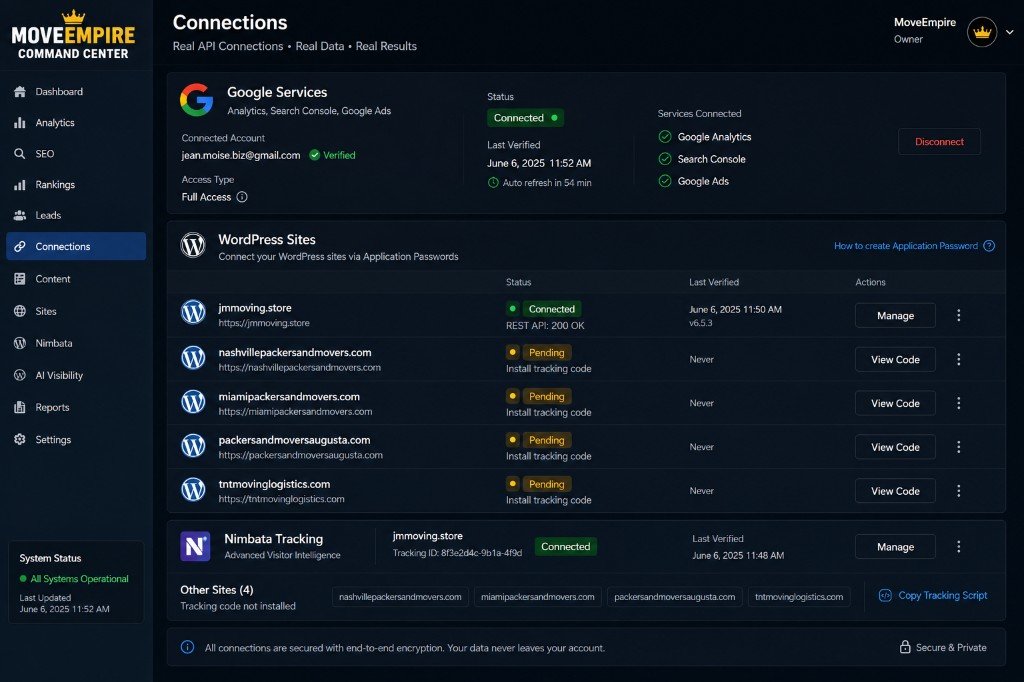
Seven signals that your moving business has outgrown basic tools
1. Leads wait because ownership is unclear
A new inquiry arrives, but nobody knows who is responsible for the first response. One salesperson assumes another handled it. A manager discovers the opportunity hours or days later. A moving CRM should assign ownership, show response status, and preserve the next action so promising leads do not disappear inside an inbox.
2. Customer information lives in too many places
When phone notes, form submissions, estimates, emails, and text summaries live in separate systems, staff work from incomplete information. Duplicate entry also creates conflicting versions of the truth. A centralized customer record should place the important history, move details, status, and responsible team member within reach of authorized users.
3. Follow-up depends on individual memory
Not every qualified prospect books during the first conversation. A growing sales operation needs a disciplined cadence. The CRM should make pending estimates and overdue follow-ups visible, help schedule next actions, and allow leadership to see whether the company’s standard is being followed. Automation can support the process, but messages should remain accurate and appropriate.
4. Estimate handoffs create surprises
If operations sees a job only after it is booked, critical details can be missed. Stairs, elevators, loading restrictions, special handling, packing scope, long carries, or route constraints may affect preparation. The customer record and estimate workflow should carry relevant details forward so dispatch and crews can prepare responsibly.
5. Managers cannot explain pipeline performance
Growth decisions require more than a total lead count. Leaders need to understand status, ownership, response activity, estimate progress, booking movement, and loss reasons. Reports do not guarantee improvement, but trustworthy data helps managers ask better questions and coach the right part of the process.
6. A second location creates a second operating language
Without a shared framework, each branch invents its own stages, recordkeeping, and reporting. That makes comparison unreliable. A multi-location CRM should preserve company-wide standards while giving authorized local leaders the visibility required for their market. Review the multi-location moving company software guide for a deeper look.
7. The owner has become the human integration
If every department depends on the owner to relay information, approve routine transitions, or answer status questions, the company has a scalability problem. An owner should lead priorities and exceptions—not manually connect every handoff. A shared command center can reduce unnecessary status chasing and free leadership to focus on decisions that require judgment.
Features the best moving company CRM should provide
Capture useful inquiry details and record where opportunities originate. Source data should be consistent enough to compare, while privacy and consent requirements remain part of the operating process.
Stages should reflect the moving sales journey: new inquiry, contacted, qualified, estimate in progress, estimate delivered, follow-up, booked, lost, or another carefully defined status.
Every active opportunity should have a responsible person and an understandable next step. Alerts and dashboards can expose overdue work before it becomes invisible revenue leakage.
The CRM should carry customer, inventory, access, service, timing, and special-item information into the estimating process. Learn more about moving estimate software.
Authorized staff need enough history to continue a professional conversation without making a customer repeat everything. Capabilities depend on current platform configuration and connected services.
A booked move should transition into operations with accurate details and a visible status. See the moving dispatch software guide.
Owners, salespeople, estimators, coordinators, dispatchers, and location managers do not always need identical access. Permission planning should reflect responsibilities and data sensitivity.
Dashboards should answer operating questions, not merely decorate a screen. Definitions must remain consistent, and managers should validate the data before acting on it.
Mobile-friendly access and practical usability
Moving-company staff do not spend every hour behind the same desk. A CRM should support the approved devices and work environments relevant to the company. Equally important, the interface must make the most common actions understandable. A theoretically powerful system creates little value if staff avoid it or enter incomplete information. During a demonstration, ask real users to complete representative tasks and note where hesitation occurs.
Integration and automation discipline
Integrations can reduce re-entry, but they should be evaluated carefully. Confirm what data moves, in which direction, how often it synchronizes, what happens after a failure, and who monitors exceptions. Automation should accelerate a sound process rather than conceal a broken one. A fast automated mistake is still a mistake. Begin with the most valuable, measurable workflows and expand only after the team trusts the result.
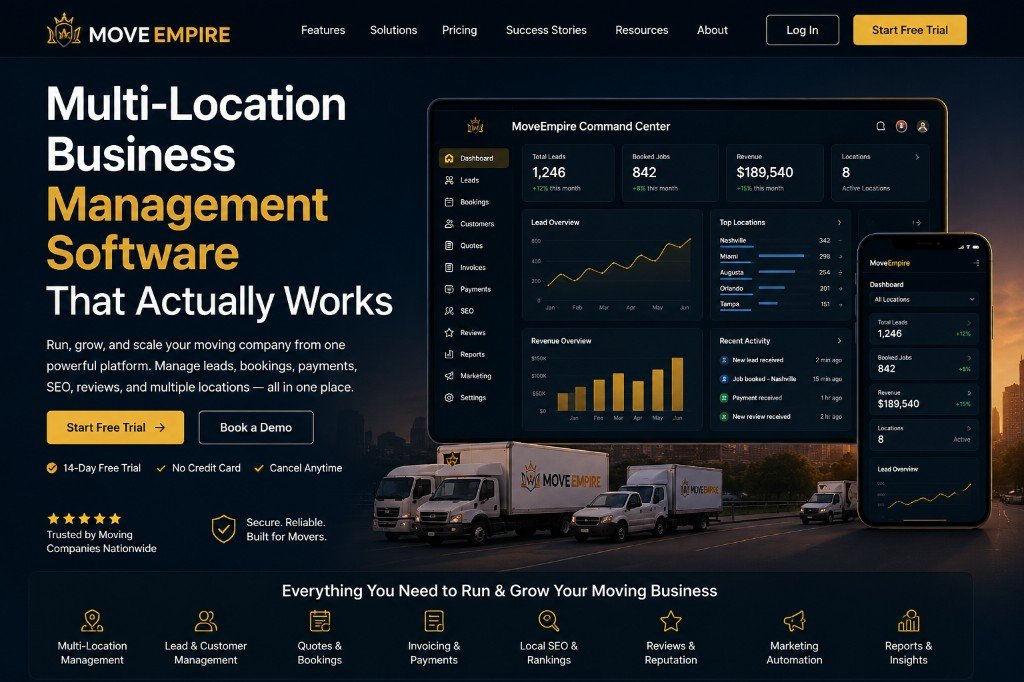
How a connected CRM supports the complete moving workflow
The clearest way to evaluate software is to follow one customer through the system. Imagine that a homeowner submits an inquiry for a move from Nashville to another state. The record should capture the customer’s contact information, origin and destination, preferred timing, service needs, and consented communication details. The system assigns responsibility and makes the required first response visible.
During qualification, the representative adds information instead of beginning a disconnected document. Estimate preparation draws from the same customer context. When the estimate is delivered, the opportunity moves into a defined follow-up stage. The assigned user can see what was sent, what happens next, and when attention is due. A manager can distinguish between an opportunity that needs action and one that is waiting appropriately.
After the customer books, information should transition cleanly toward scheduling and dispatch. Operations needs the details necessary to prepare the job; it does not need to reconstruct the entire sales conversation. Changes should remain visible, and significant commitments should be documented. The goal is continuity: the customer experiences one organized company even when several employees contribute.
After service, the record may support approved follow-up, feedback, review requests, issue resolution, or future relationship activity. The company also gains data for operational review. Leaders can examine where opportunities slow down, which stages need coaching, whether records remain complete, and how different markets follow the process. These measurements should guide investigation rather than become automatic claims about cause or performance.
For dedicated guidance on the beginning of this lifecycle, see Moving Lead Management Software. The broader Moving Company Software overview explains how CRM, estimates, dispatch, and multi-location visibility fit into a larger command center.
Owner-operated insight changes what “best” means
A CRM can look impressive in a sales demonstration and still fail the reality test of a busy moving company. Owner-operated experience changes the questions. Can the team see who owns a lead during a hectic morning? Does an estimate carry the details that operations actually needs? Can a manager detect forgotten follow-up without opening every record? Can a multi-location owner compare activity without forcing branches into isolated spreadsheets?
MoveEmpire’s positioning reflects this operating perspective. It is based in Nashville, Tennessee, and intended for moving businesses throughout the United States and supported global markets. Nashville is the company’s primary home base; this does not imply that MoveEmpire maintains a physical office in every location it serves. Online software can support distributed organizations where current product availability, connectivity, account setup, language, regulatory, and technical requirements permit.
“Owner-operated” should not be treated as a substitute for product verification. Buyers should still request a demonstration, review the actual workflow, understand responsibilities, inspect current security and support documentation, and confirm that required capabilities are available. Practical experience is valuable because it helps shape the system around real work; responsible purchasing still requires evidence.
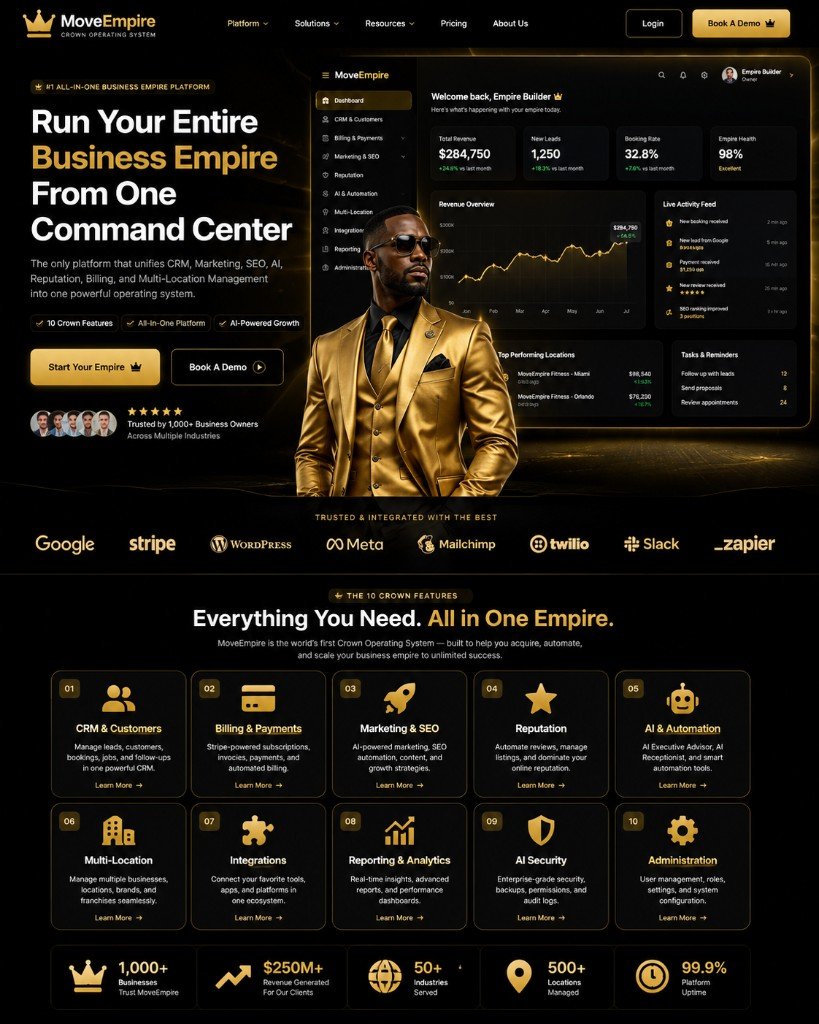
How to compare moving company CRM software responsibly
Map the current process before watching a demo
Document how leads arrive, who responds, how information becomes an estimate, how follow-up happens, how a booking reaches operations, and how managers review results. Highlight duplicate entry, delays, missing ownership, and inconsistent definitions. This map prevents a flashy demonstration from distracting the team from its actual problems.
Use realistic test scenarios
Ask the vendor to demonstrate common and difficult workflows. Include a new local inquiry, a long-distance opportunity, an estimate change, a missed follow-up, a job with special handling details, and a multi-location management question. Observe the number of steps, the clarity of status, and how information transfers. Verify important claims in the product rather than relying only on presentation language.
Review adoption, support, data, and security
Clarify onboarding responsibilities, training resources, expected configuration work, support channels, data import options, user access controls, and available security documentation. Ask who owns quality checks after migration and what data can be exported. Policies and capabilities change, so current vendor documentation and applicable professional advice should guide decisions involving compliance, privacy, or security.
Calculate the full price timeline
MoveEmpire’s stated introductory price is $130 per month for months 1–12, which totals $1,560 across the first year. Beginning in month 13, the stated standard price is $500 per month. Confirm current pricing, included functionality, billing terms, taxes, optional services, limits, and cancellation terms on the official pricing page before purchase. Evaluate the standard rate as part of the decision from day one.
Measure a baseline and define success
Potential measurements include median first-response time, percentage of active opportunities with a next action, estimate turnaround, follow-up completion, record completeness, conversion by documented stage, and time spent assembling reports. Choose measurements the company can define accurately. Software does not guarantee higher sales or lower costs; performance depends on market conditions, process design, team execution, data quality, and responsible use.
External resources can strengthen an evaluation. The U.S. Small Business Administration offers general guidance on managing a business, while the Federal Trade Commission provides resources related to privacy and data security. These resources are not endorsements of MoveEmpire.
MoveEmpire pricing for a growing mover
The two-stage structure gives a company an introductory year to implement, learn, standardize, and assess the platform before the regular rate begins. Budgeting should include the full timeline.
$1,560 across the first twelve months at the stated introductory rate.
The stated standard monthly subscription begins in month thirteen.
Always confirm current terms on MoveEmpire’s pricing page. Growing companies should consider implementation time, staff training, process ownership, and ongoing administration alongside the subscription amount.
A practical 90-day CRM adoption roadmap
Days 1–30: define and prepare
Name an internal owner, document the present workflow, define pipeline stages, establish access roles, clean source data, and choose a small set of baseline measurements. Decide which records must move into the new system and which should be archived. Confirm how exceptions will be handled. The goal is a dependable foundation, not maximum complexity.
Days 31–60: configure, test, and train
Configure approved workflows and test them with representative scenarios. Train users by role so each person understands daily actions and the reason behind them. Run quality checks on imported records and permissions. If integrations are included, validate normal operation and failure handling. Collect questions and adjust confusing steps before broad adoption.
Days 61–90: reinforce and improve
Review adoption consistently. Check whether active opportunities have owners and next actions, whether stages mean the same thing to everyone, and whether operations receives complete information. Compare early measurements with the baseline, but avoid drawing strong conclusions from limited data. Fix the highest-impact friction first, document standards, and schedule an ongoing review rhythm.
The best moving company CRM is not the one with the longest feature list. It is the one that fits the company’s verified needs, connects the work that should be connected, and becomes a trustworthy part of daily operations. For growing movers, clarity and adoption are the real foundation of scale.
Frequently asked questions about moving company CRMs
1. What is a moving company CRM?
A moving company CRM is software that helps a mover organize prospects, customers, conversations, move details, sales stages, estimates, follow-up, and related handoffs. Unlike a generic contact database, a specialized CRM should reflect the path from an inquiry to an operationally ready booking. Capabilities vary, so buyers should verify the current product rather than assume every platform works the same way.
2. Why do growing movers need CRM software?
Growth increases the number of leads, users, decisions, and handoffs a company must coordinate. Informal notes and individual memory become less reliable as volume rises. A CRM creates shared visibility, ownership, stages, and next actions. It does not guarantee growth, but it can give a disciplined team better information and a more repeatable process.
3. What is the best moving company CRM?
The best moving company CRM is the platform that meets a company’s verified workflow, usability, implementation, security, support, reporting, and budget requirements. MoveEmpire is designed specifically around moving-company leads, estimates, jobs, dispatch, and management visibility. Buyers should compare a live demonstration and current documentation against realistic scenarios before deciding.
4. Can a CRM help moving companies follow up faster?
A CRM can make new inquiries, assigned owners, due tasks, and overdue follow-ups more visible. Automation may assist with approved actions when configured correctly. Actual response speed still depends on staffing, operating standards, integrations, connectivity, and team adoption. Measure a baseline and monitor results rather than assuming software alone will solve delays.
5. Does MoveEmpire connect CRM, estimating, and dispatch?
MoveEmpire is positioned as a connected moving-company command center covering the customer and job lifecycle. The intended workflow links lead management with estimating, booking, scheduling, dispatch, and operational visibility. Because product functionality can change, confirm the exact available features, integrations, limits, and implementation approach during a current demonstration.
6. How much does MoveEmpire cost?
The stated price is $130 per month for the first twelve months, or $1,560 across year one. Beginning in month 13, the stated standard subscription is $500 per month. Prospective customers should verify current pricing, billing terms, included capabilities, optional services, and applicable limits on the official pricing page before subscribing.
7. Is MoveEmpire only for Nashville moving companies?
No. Nashville, Tennessee is MoveEmpire’s primary home base, but the software is intended to serve moving businesses throughout the United States and supported global markets. Availability can depend on technical, account, regulatory, language, and connectivity requirements. MoveEmpire does not claim to maintain a physical office in every state or country it serves.
8. Can multi-location moving companies use a CRM?
Yes. A multi-location CRM can help standardize pipeline definitions, preserve branch accountability, and give authorized leaders a consolidated view. Companies should verify location controls, permissions, reporting, and implementation support. The operating model should clarify which standards are company-wide and which decisions remain with local management.
9. How long does CRM implementation take?
There is no responsible universal timeline. Duration depends on data quality, number of users, workflow complexity, integrations, configuration, training, and internal decision speed. Ask for a current implementation plan and define responsibilities. A phased rollout often makes quality and adoption easier to inspect than an attempt to activate every possible feature at once.
10. What should a mover measure after CRM launch?
Useful measurements may include first-response time, active opportunities with a documented next action, follow-up completion, estimate turnaround, stage movement, record completeness, and time required for management reporting. Define each metric consistently, establish a baseline, and interpret changes in context. CRM data supports decisions only when teams enter and maintain it accurately.
Build a clearer path from every lead to every move
MoveEmpire brings moving-company CRM, estimating, operations, and management visibility into one premium command-center experience. Start with the current workflow, verify the fit, prepare the team, and build growth on dependable information.
CRM for Growing Moving Companies
The best moving company CRM should operate as a CRM for growing movers, scalable moving CRM, moving sales CRM, mover lead management system, and complete best CRM software for movers.
Leave a Reply