
How Moving Companies Create Faster Estimates
MoveEmpire Operations Guide
How Moving Companies Create Faster Estimates begins with a simple operational truth: speed matters, but a fast number that cannot be explained, approved, scheduled, or fulfilled is not a useful estimate. The best quoting process combines quick lead capture, consistent pricing inputs, clear scope notes, professional presentation, and disciplined follow-up.
Why estimate speed affects moving-company revenue
A prospective customer rarely contacts only one mover. They may submit several forms, call multiple offices, request referrals, and compare reviews within the same hour. Every delay creates space for another company to answer first, clarify the job, establish trust, and secure the booking. A prompt estimate does not guarantee a sale, but an inconsistent or slow response can lose a qualified opportunity before the sales conversation really begins.
Estimate speed also shapes the customer’s first impression of the operation. When information must be copied between notebooks, inboxes, spreadsheets, calculators, and disconnected applications, the customer feels the friction. They repeat details, wait for callbacks, receive conflicting answers, or get a document that does not reflect the move they described. A connected process helps the team appear organized because the team actually has better access to organized information.
The objective is not to rush every job into a fixed price. Some moves require a virtual survey, an in-home review, specialty-item research, building-access confirmation, or carrier and jurisdiction considerations. The objective is to remove unnecessary delay while preserving the checks that protect the customer and the moving company. That distinction matters: faster estimates come from better workflow design, not from guessing faster.

The eight-part faster estimate workflow
1 Capture the lead once
Start with a consistent intake that collects the customer’s name, phone number, email address, origin, destination, move date or date range, service type, property details, and preferred contact method. Do not force the sales team to rebuild the lead from an email notification. The information should enter a central record that can support qualification, estimating, follow-up, booking, and operations.
2 Qualify the request
Not every inquiry is estimate-ready. Establish the minimum information required for different job types. A small local apartment move may follow one path; interstate, office, storage, piano, fine-art, or international-related work may require additional review. Clear qualification rules help representatives know when to quote, when to ask more questions, and when to escalate.
3 Build structured inventory
Inventory quality affects labor, equipment, truck space, materials, handling time, and risk. Use standardized room and item categories when possible, then document exceptions with notes, photographs, or survey results. A repeatable inventory process makes estimates easier to compare and update while reducing dependence on one person’s memory.
4 Confirm access conditions
Stairs, elevators, long carries, loading restrictions, narrow roads, parking permits, building certificates, shuttle needs, and appointment windows can materially affect a move. Put access questions inside the normal workflow instead of relying on a last-minute operations call. When a condition is unknown, label it and assign a follow-up task rather than hiding uncertainty.
5 Apply approved pricing logic
Define which rates, minimums, travel calculations, labor assumptions, materials, add-ons, discounts, taxes, and deposits the team may use. Permissions and approval rules can help prevent improvised pricing. Software should support the company’s lawful pricing method and published terms; it should not substitute for compliance review or experienced estimating judgment.
6 Generate a clear document
The customer should be able to see what is included, what is excluded, what remains conditional, how the price was developed, what action is required, and whom to contact. Plain language builds trust. Avoid presenting a preliminary range as a guaranteed final total, and make required disclosures visible according to the service and jurisdiction involved.
7 Send and track promptly
Once reviewed, send the estimate through the customer’s preferred approved channel and record the delivery. A visible status—drafted, awaiting review, sent, viewed, revised, accepted, declined, or expired—helps the team act without searching multiple inboxes. Confirm what delivery and tracking capabilities are currently available before purchase.
8 Follow up with context
A helpful follow-up references the actual move rather than sending a generic “just checking in” message. Representatives should see the last conversation, open questions, estimate version, requested date, and next step. Automation can create reminders or approved messages, while a team member handles objections, scope changes, and complex decisions.
What information makes a moving estimate more accurate?
Accuracy starts with a defined scope. Teams need enough detail to estimate the work that is reasonably known at the time. The exact required fields will differ by company, market, service, and applicable rules, but a useful framework covers customer contact information, locations, timing, inventory, services, access, special handling, valuation or protection choices, and unresolved conditions.
Customer and route details
Record complete origin and destination information as appropriate, along with phone and email details that have been verified. Note whether the customer’s dates are firm or flexible. For longer-distance or cross-border inquiries, document the actual service scope and confirm what the company can lawfully provide. “Global availability” for software means MoveEmpire may support operators accessing the platform in supported markets; it does not mean every moving company provides every international service.
Inventory and services
Separate the physical inventory from requested services. Packing, unpacking, disassembly, reassembly, storage, crating, debris removal, appliance preparation, and specialty handling create different operational requirements. Photographs can add context, but they should be associated with the correct customer and handled according to the company’s privacy practices.
Unknowns and assumptions
A professional estimate can acknowledge uncertainty. If elevator access is unconfirmed, an item’s dimensions are missing, or the destination has not been finalized, record the assumption and explain how a change could affect service or price. This is more trustworthy than burying an unsupported guess. It also gives the follow-up process a specific task: resolve the unknown before the crew is dispatched.
MoveEmpire’s moving company CRM, lead management, and dispatch workflow are designed to connect the stages surrounding an estimate. Prospective buyers should confirm current feature availability, configuration options, integrations, and legal suitability for their operation.
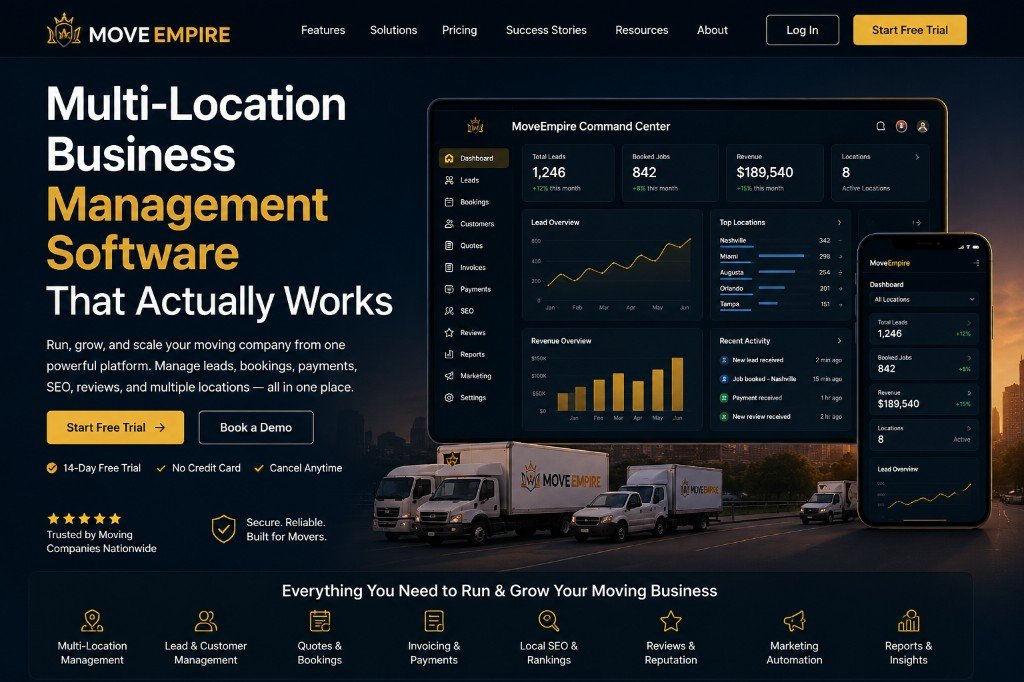
How MoveEmpire can reduce avoidable quoting delays
MoveEmpire is positioned as a connected software command center for moving-company operations. It was shaped by an owner-operated perspective: the people responsible for growth also need visibility into whether leads are answered, estimates are progressing, follow-ups happen, booked work reaches dispatch, and teams use consistent processes. That operational continuity is the foundation of faster estimating.
Instead of treating the estimate as an isolated PDF, a connected platform can keep it attached to the complete customer record. That context helps a representative review the original inquiry, see prior contact attempts, understand inventory updates, and identify the next required action. Leadership can then examine broader patterns such as response delays, stalled estimates, incomplete records, or inconsistent stage usage.
Automation should be applied deliberately. A system may help assign new inquiries, alert a representative, schedule a follow-up, or move an internal task forward based on approved rules. However, sensitive decisions and unusual moves still need trained review. The strongest process makes routine work faster and makes exceptions more visible.
For multi-location organizations, consistency becomes even more important. Standard fields, stages, templates, and permission rules can create a shared operating language while still allowing authorized differences where markets require them. Visit the multi-location moving software guide for a closer look at that challenge.
Nashville roots, broader software availability
MoveEmpire’s main base is Nashville, Tennessee. The platform is intended for moving businesses across the United States and in supported global markets. That statement concerns software availability, not claims of a MoveEmpire office in every state or country. Operators should confirm current availability, support coverage, data handling, integrations, currency, language, and regulatory fit for their own location before subscribing.
A 30-day plan for faster estimates
- Days 1–5: Measure the current process. Track the time from inquiry to first response, first response to completed discovery, discovery to estimate, and estimate to follow-up. Sample enough records to identify where work actually waits.
- Days 6–10: Standardize intake. Agree on required fields by job type. Remove duplicate entry and clarify which system owns customer, move, pricing, and status information.
- Days 11–15: Define pricing governance. Document approved rates, permissions, minimums, discounts, escalation rules, assumptions, and required review. Have appropriate professionals check compliance where necessary.
- Days 16–20: Improve templates. Make estimate language clear and consistent. Add recognizable next steps, response instructions, expiration or revision information where appropriate, and required disclosures.
- Days 21–25: Create follow-up rules. Decide when reminders happen, when automation is suitable, when a person must call, and when an inactive opportunity should be closed or nurtured.
- Days 26–30: Train and review. Test the workflow with representative move types, inspect errors, gather user feedback, and revise before scaling it across teams or locations.
Measure quality alongside speed. Useful operating indicators may include completeness of intake, revision frequency, estimate response time, follow-up completion, booking conversion by qualified lead source, cancellation patterns, and the frequency of material scope changes. Define each metric clearly so the team does not reward quick but incomplete estimates.
Hold a short weekly review during the first month. Select a few estimates that booked, a few that stalled, and a few that required major revision. Ask whether the original lead record was complete, whether the estimator could find the needed facts, whether the customer understood the document, and whether operations received the same scope that sales discussed. Record the lesson as a process improvement rather than blaming one employee. Small changes to a required field, template sentence, approval rule, or reminder can remove repeated friction across hundreds of future inquiries. Continue monitoring after launch because seasonality, staffing, service expansion, and new locations can expose delays that were not visible during the initial rollout.
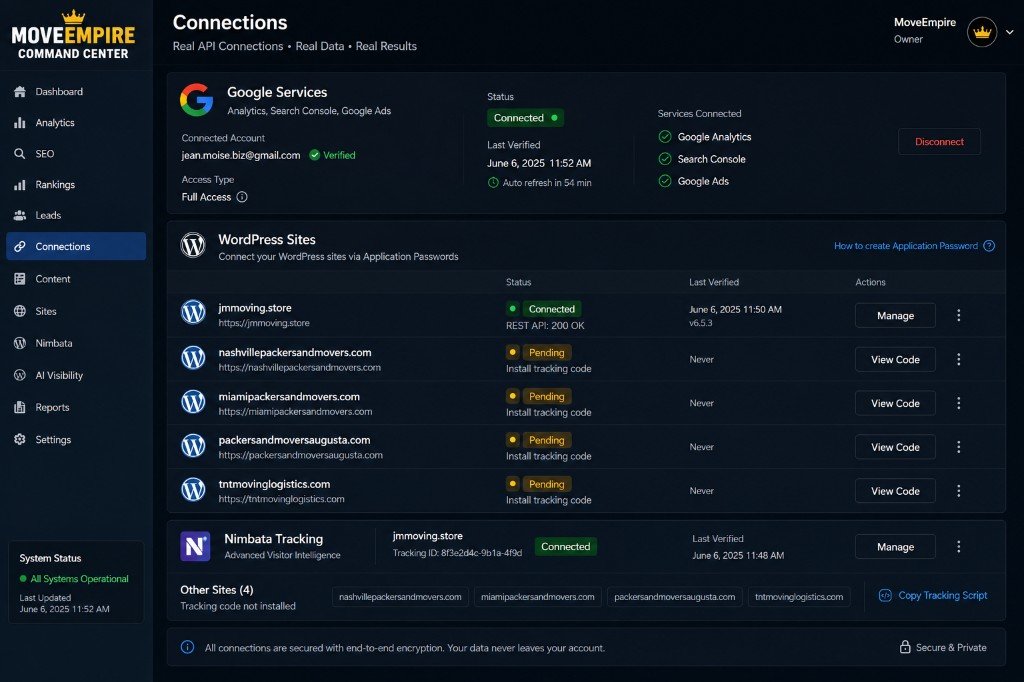
MoveEmpire pricing for a growing moving business
MoveEmpire’s introductory price is $130 per month for months one through twelve, which totals $1,560 for the first year when paid monthly. Beginning in month thirteen, the regular price is $500 per month. Buyers should review the complete current offer, included features, limits, onboarding details, billing terms, cancellation terms, taxes, and any optional services before subscribing.
The first-year rate gives a new customer time to configure the platform, train the team, establish clean habits, and evaluate operational adoption. The value should be judged against real outcomes: fewer lost inquiries, more consistent response, clearer estimates, reliable follow-up, improved handoff to operations, and better leadership visibility. Software alone does not create those outcomes; process ownership and team adoption remain essential.
See the full MoveEmpire pricing breakdown, review the MoveEmpire FAQ, and compare the workflow with the broader moving company software overview.
Frequently asked questions about faster moving estimates
1. How quickly should a moving company send an estimate?
The right timing depends on the move and the information available. A straightforward, well-documented local request may be estimated quickly, while a complex interstate, commercial, specialty, or survey-dependent move may require more discovery. Set response and review standards by job type. Respond promptly even when a final estimate is not ready, tell the customer what information is missing, and provide a realistic next step.
2. Can moving estimate software improve accuracy?
Software can improve consistency by organizing inventory, services, access details, approved pricing inputs, assumptions, versions, and templates. Accuracy still depends on correct information, sensible configuration, trained people, and appropriate review. No application can reliably compensate for missing inventory, undisclosed access conditions, or unsupported pricing assumptions.
3. What causes moving estimates to take too long?
Common causes include incomplete lead forms, repeated data entry, unclear ownership, missing inventory, unconfirmed access, pricing approvals, disconnected tools, inconsistent templates, and no defined follow-up. Measure where records wait before buying technology. The most valuable improvement often comes from combining clear process rules with a connected system.
4. Should every estimate be automated?
No. Automation is most useful for predictable administrative steps such as assignment, reminders, task creation, approved communications, and status visibility. Human review remains important for unusual inventory, complex access, specialty handling, high-value items, unclear scope, pricing exceptions, and regulatory questions. Build an escalation path rather than forcing every move through one rule.
5. What should a professional moving estimate include?
It should clearly identify the customer and move, describe the known service scope, show applicable pricing information, explain material assumptions or conditions, state what is included and excluded, provide required disclosures, and give the customer a clear next action. Requirements vary, so a moving company should confirm the rules that apply to its services and jurisdictions.
6. How does CRM information help an estimator?
A centralized CRM record can show the original source, contact details, conversation history, inventory notes, prior versions, open questions, tasks, and customer preferences. That context reduces repeated questions and helps the estimator continue the conversation accurately. Role-based access and responsible data practices should govern who can see and change sensitive information.
7. Can MoveEmpire support multi-location estimate workflows?
MoveEmpire is designed around connected visibility for moving businesses, including multi-location operations. Organizations can benefit from shared stages, fields, templates, responsibilities, and reporting. Confirm current capabilities, permissions, location configuration, integrations, and support directly with MoveEmpire because product functionality can change.
8. Is MoveEmpire available outside Nashville?
Yes. Nashville, Tennessee is MoveEmpire’s primary base, while the software is intended for customers across the United States and in supported global markets. This does not mean MoveEmpire maintains a physical office in every location. International customers should verify current access, support, data, language, payment, and legal suitability.
9. How much does MoveEmpire cost?
The stated introductory rate is $130 per month for the first twelve months, totaling $1,560 for year one when paid monthly. The regular price becomes $500 per month beginning in month thirteen. Review the live pricing page and complete current terms before purchase because inclusions, conditions, and offers may change.
10. What is the first step toward faster estimates?
Map the current workflow using real recent leads. Record where information enters, who owns each step, what is repeatedly requested, where approval waits, and how follow-up occurs. Then standardize the minimum information and next actions. Technology is most effective after the company agrees on the process it wants the platform to support.
Turn estimate speed into a better customer experience
How Moving Companies Create Faster Estimates is ultimately a guide to operational clarity. Capture the right information once, document inventory and access, use approved pricing logic, communicate assumptions, deliver a professional document, and follow up with context. When those steps live in a connected workflow, customers receive answers sooner and teams gain a more reliable path from inquiry to booked work.
MoveEmpire brings an owner-operated perspective to that challenge from its Nashville base, serving moving-company operators across the United States and supported international markets. Explore the platform, confirm current functionality, and build a rollout plan around measurable improvements rather than software activation alone.
Creating Estimates Faster
Faster moving estimates come from moving estimate automation, quick moving quotes, digital estimating for movers, moving inventory quoting, and a process designed to speed up moving estimates.
Leave a Reply