
Table of Contents
MoveEmpire 2026 Cost Guide
How Much Does Moving Company Software Cost in 2026?
Moving company software can cost anywhere from a basic monthly subscription to a major operational investment. The useful question is not simply, “What is the cheapest plan?” It is, “What does the system replace, improve, and return?” This guide explains the real numbers, common pricing models, hidden costs, essential features, and the value a growing moving company should expect.
MoveEmpire introductory pricing is $130 per month for months 1–12. Beginning in month 13, the standard price is $500 per month. The first-year total is $1,560. That clear schedule gives a new customer time to install the system, train the team, improve workflows, and measure results before standard pricing begins.
The Short Answer: What Moving Software Costs
In 2026, moving-company platforms are typically priced by company, user, branch, feature package, usage, or a combination of those factors. A lightweight tool may appear inexpensive, but the final bill can grow when a mover adds dispatch seats, text messages, payment processing, premium integrations, call tracking, implementation, or multiple locations. More complete systems cost more because they can coordinate leads, estimates, jobs, crews, communication, reporting, and automation from one operating center.
The range is broad because “moving software” can describe very different products. A contact list with a sales pipeline is not equal to a connected command center. A quote calculator is not equal to an end-to-end platform. A dispatcher-only tool does not automatically manage lead response, follow-up, documents, customer communication, and location-level reporting. Buyers should compare the total operational scope, not merely the number printed on the pricing page.
Months 1–12
per month · $1,560 first year
Month 13+
per month at the standard rate
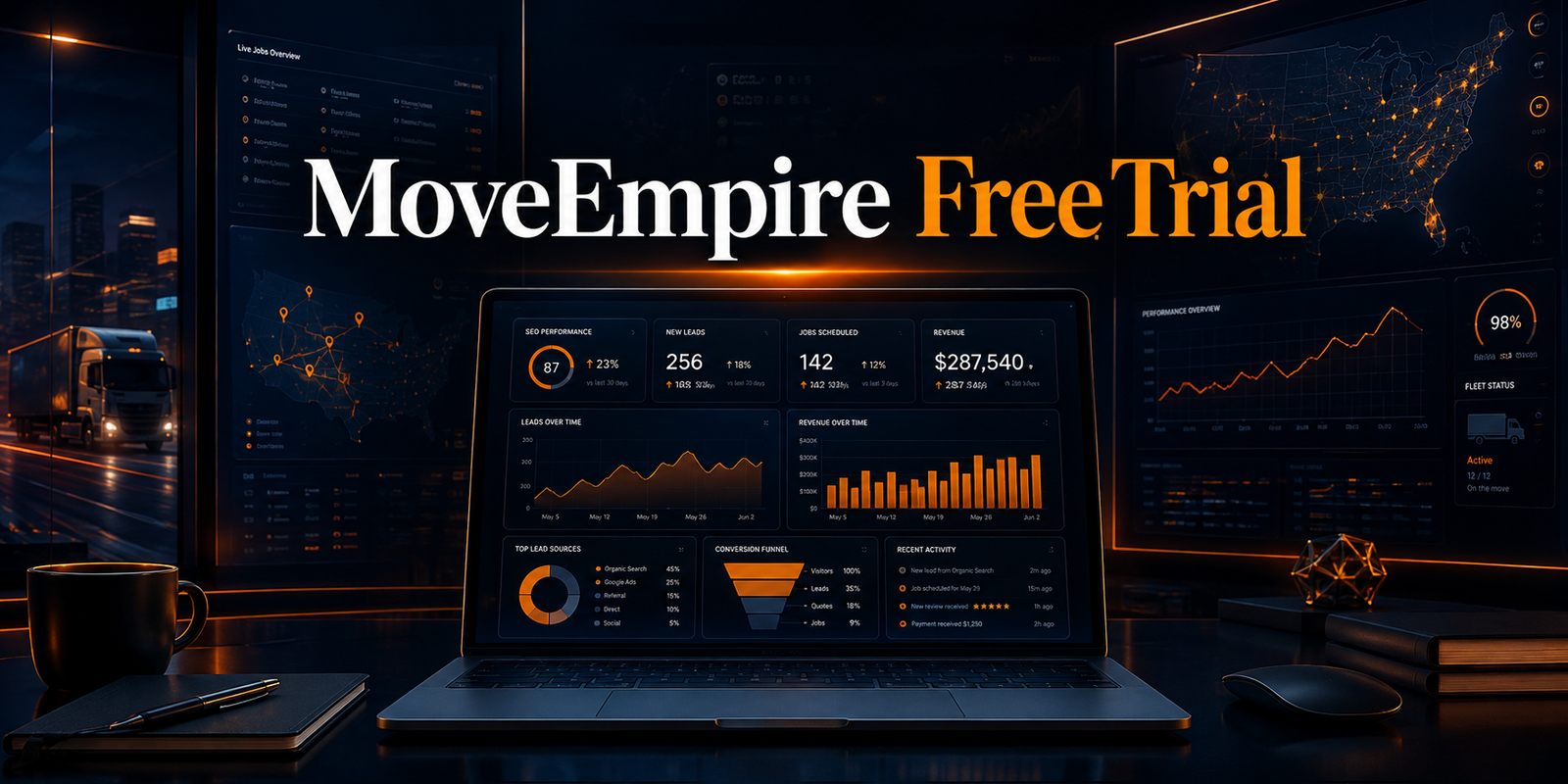
MoveEmpire gives authorized teams a connected view across the devices they use to manage leads, estimates, scheduling, and performance.
Why Two Software Prices Can Be Misleading
Suppose one platform costs $99 per month and another costs $500. The first may look like the obvious bargain. But if it requires five separate subscriptions for estimating, texting, forms, reporting, and automation, the true software stack may cost much more. It may also force employees to re-enter information, reconcile conflicting records, and switch between applications throughout the day. Those labor costs rarely appear on a vendor invoice, yet they affect profit every week.
A higher-priced unified platform can be the lower-cost choice when it reduces duplicate work, improves response time, prevents missed follow-ups, produces consistent estimates, and helps managers see the business sooner. Cost comparisons should include subscription fees, setup, training, integrations, communications, payment fees, administration time, and the cost of opportunities that leak out of an unreliable process.
The right comparison is total cost of ownership. Calculate every tool you can remove, the administrative hours you can recover, the mistakes you can prevent, and the additional jobs your team may book through faster execution. Then compare that operational value with the full annual price.
Common Moving Company Software Pricing Models
Flat Monthly Subscription
A predictable company-wide subscription makes budgeting simple. Confirm which features, users, branches, and usage limits are included. MoveEmpire’s published schedule is straightforward: $130 monthly for the first twelve months and $500 monthly beginning in month thirteen.
Per-User Pricing
Each estimator, dispatcher, manager, sales representative, or administrator may require a paid seat. This works for very small teams but can become expensive as the company hires. Ask whether field crew members and read-only users also count.
Per-Location Pricing
Multi-location operators may pay for every branch. The model can reflect the added operational complexity, but buyers should understand how headquarters reporting, shared leads, cross-location jobs, and central administration are handled.
Usage-Based Pricing
Charges can depend on leads, estimates, jobs, messages, phone minutes, storage, documents, or automation runs. Usage pricing may start low, yet produce unpredictable invoices during the busy season.
Tiered Feature Packages
Starter, professional, and enterprise plans often unlock capabilities in stages. Check whether the lower tier omits the functions you actually need, such as automated follow-up, advanced reporting, integrations, permissions, or multi-location controls.
Custom Enterprise Pricing
Large operators may receive a negotiated quote based on scope. Implementation, data migration, specialized integrations, service levels, and dedicated support can influence the agreement.
What Should Be Included in the Price?
A serious moving-business platform should connect the customer journey with the operating workflow. It should help the team capture an inquiry, assign responsibility, create a quote, schedule the job, communicate with the customer, coordinate the crew, and review performance. The exact functions vary by platform, but the buying conversation should cover the full path from first contact through completed work.
| Capability | Operational value | Question to ask |
|---|---|---|
| Lead management | Centralizes inquiries and next actions | Can leads be assigned and tracked automatically? |
| Estimating | Speeds consistent quote preparation | Can templates and pricing rules be customized? |
| Scheduling and dispatch | Coordinates jobs, crews, and availability | Can dispatchers see conflicts and job details clearly? |
| Automation | Reduces repetitive follow-up and handoffs | Which events can trigger messages or tasks? |
| Customer communication | Keeps expectations and status organized | Are email and text costs included? |
| Reporting | Reveals conversion and operational performance | Can leaders filter by source, person, and location? |
| Permissions | Controls access by role | Can managers limit sensitive views and actions? |
| Integrations | Connects the rest of the technology stack | Are integrations native, supported, and included? |
MoveEmpire is positioned as an AI-powered operating platform for service businesses, with a focus on the realities of moving-company sales and operations. Explore the broader capabilities on the moving company software page, learn how customer opportunities are organized on the moving company CRM page, and review day-to-day crew coordination on the dispatch software page.

The best cost decision connects the subscription to measurable improvements in response, booking, execution, and visibility.
Seven Costs That May Not Appear in the Headline Price
1. Implementation and configuration
Some platforms charge for kickoff, workflow design, account configuration, branded templates, or project management. Ask what happens before launch, what your team must supply, and which configuration changes are included after the initial setup.
2. Data migration
Moving customer records, open opportunities, estimates, jobs, and historical reporting can require mapping and cleanup. Confirm the supported file formats, the amount of history accepted, the migration method, and whether validation is included.
3. Training and adoption
Software produces little value when the team does not use it consistently. Training may be live, recorded, self-guided, or paid separately. Consider the internal time required for managers to learn the system, establish rules, and coach employees.
4. Communication usage
Text messages, phone calls, email volume, recordings, or dedicated numbers may have usage charges. A low subscription can become expensive when communication is central to the sales process. Request realistic examples based on your monthly lead and job volume.
5. Integrations and automation
Connecting accounting, forms, advertising sources, communications, or other systems may require a premium plan or outside automation service. Determine who maintains the connection and what happens when a third-party application changes.
6. Payment processing
Card and bank-payment fees are normally separate from software subscription pricing. Compare rates, deposit timing, dispute handling, refund processes, and any additional gateway charge.
7. Growth and contract changes
New users, locations, brands, storage, or higher usage can move an account into another tier. Ask for the future price at the size you intend to reach, not just the price that applies today.
How to Calculate the Return on Moving Software
Software ROI becomes useful when it is attached to measurable operations. Start with the current baseline: monthly leads, average response time, estimate rate, booked-job conversion, average revenue per job, cancellations, administrative hours, and software subscriptions. Then estimate conservative improvements rather than assuming every lead becomes a sale.
For example, if a moving company receives 200 inquiries each month and improves booked-job conversion by only two percentage points, that equals four additional jobs. If the average contribution after direct job costs is $600, the improvement contributes $2,400 in a month. That example is not a guarantee; it illustrates why a workflow improvement can outweigh the subscription price when execution changes in a measurable way.
Time savings matter too. If automation and centralized records save three team members four hours each week, the company recovers roughly 48 labor hours in a four-week month. Multiply those hours by the loaded hourly cost. Then add reduced software duplication, fewer errors, faster collections, or better use of advertising leads. Compare the total conservative benefit with the complete monthly cost.
Review results at 30, 60, and 90 days. Measure adoption as well as outcomes. If employees skip required fields or managers do not review dashboards, weak results may reflect process inconsistency rather than the tool alone. Establish one owner for implementation, publish the required workflow, and make key reports part of the company’s weekly rhythm.
Also separate leading indicators from financial results. Response time, completed follow-up tasks, estimate turnaround, and system adoption can improve before revenue reports show the full effect. Document the baseline before launch so the comparison remains honest. Review results by lead source, team member, service type, and location when the sample is large enough to be meaningful. This prevents one unusually strong week or one weak advertising channel from distorting the conclusion. A disciplined measurement plan helps leadership decide which workflows need refinement and whether the subscription is earning its place in the operating budget.

MoveEmpire is owner-operated, based in Nashville, Tennessee, and built to support customers across the United States and supported global markets.
Why MoveEmpire Uses Introductory First-Year Pricing
MoveEmpire is offering a $130 monthly price for the first twelve months, followed by the regular $500 monthly price beginning in month thirteen. That means a customer pays $1,560 over the introductory first year. The pricing structure recognizes that successful software adoption takes time. A moving company must configure its workflow, bring employees into the system, build habits, and create enough operating history to judge the result fairly.
The platform is owner-operated and informed by hands-on moving-company experience. That perspective matters because moving operations do not behave like a generic office pipeline. Leads arrive with urgency. Estimates depend on job details. Availability changes. Crews, trucks, dates, services, and customer expectations must stay coordinated. A system designed around that reality can reduce the gap between a marketing promise and operational delivery.
MoveEmpire’s primary base is Nashville, Tennessee. The service is designed for qualified companies throughout all 50 U.S. states and supported international markets. This is software availability, not a claim that MoveEmpire maintains a physical office in every location. Prospective customers outside the United States should confirm current onboarding, language, currency, communication, legal, and integration support for their market.
For the complete offer, visit MoveEmpire moving company software pricing. Companies comparing alternatives can also review MoveEmpire vs SmartMoving, MoveEmpire vs MoveitPro, and MoveEmpire vs Movegistics.
How Different Company Sizes Should Evaluate Cost
Owner-operator or small team
A small company should prioritize clarity and adoption. The owner may handle sales, scheduling, and customer issues personally, so every unnecessary click competes with actual work. Look for one clear view of leads and jobs, simple estimating, repeatable follow-up, and reporting that identifies what needs attention today. Avoid buying a complex feature simply because it sounds impressive; buy the workflow your team will consistently use.
Growing single-location mover
A growing operation needs repeatability. As more employees touch each customer, verbal handoffs and personal spreadsheets become fragile. Evaluate lead assignment, permissions, estimate standards, dispatch visibility, activity history, and management reporting. The system should help the business produce a consistent experience without requiring the owner to supervise every detail.
Multi-location operation
A multi-location company needs local control and central visibility. Ask how leads are routed, whether a job can move between branches, how user permissions work, and how leaders compare performance without manually combining reports. Visit the multi-location moving company software guide for a deeper evaluation.
National or international organization
Larger organizations should examine governance, data access, implementation support, integration requirements, security, reliability, and change management. Request a documented scope. Confirm what can be standardized across the organization and what can be configured for individual markets.
A Practical 12-Point Buying Checklist
- Write down the exact sales and operational problems the software must solve.
- Count all current subscriptions and identify tools the new platform could replace.
- Calculate monthly lead volume, estimates, jobs, users, branches, and messages.
- Request the complete price for your actual usage, including setup and add-ons.
- Test the workflow from a new inquiry through a completed job.
- Confirm how estimates, documents, changes, and activity history are stored.
- Ask dispatchers and salespeople to evaluate their daily screens.
- Review user roles, access permissions, backups, and security practices.
- Verify the integrations your business genuinely needs.
- Define the implementation owner, timeline, training plan, and success metrics.
- Read contract terms for renewal, cancellation, data export, and price changes.
- Schedule performance reviews after launch and hold the team to the agreed process.
A useful demonstration should follow a real scenario. Bring a sample inquiry, inventory or service requirements, proposed moving dates, crew needs, and customer communication steps. Ask the vendor to show each part without skipping difficult handoffs. A polished dashboard matters less than whether the system supports the way your company wins and delivers work.
Frequently Asked Questions About Moving Software Cost
1. How much does MoveEmpire cost during the first year?
MoveEmpire costs $130 per month for months one through twelve. The first-year subscription total is $1,560.
2. What does MoveEmpire cost after the introductory year?
Beginning in month thirteen, the regular MoveEmpire price is $500 per month.
3. Why do moving software prices vary so much?
Products differ in users, locations, lead volume, communications, automation, integrations, reporting, implementation, and operational scope. A basic CRM and a connected moving-business platform are not equivalent.
4. Are setup and migration always included?
No. Vendors handle setup and migration differently. Request written confirmation of configuration, data limits, mapping, testing, training, and any additional fees.
5. Is the cheapest moving software the best value?
Not necessarily. Compare total ownership cost, required add-ons, staff time, missed follow-ups, duplicate entry, and the measurable operational improvements the software can produce.
6. How can a moving company measure software ROI?
Track response time, estimate rate, booked-job conversion, average job value, cancellations, administrative hours, and replaced subscriptions before and after implementation.
7. Does MoveEmpire serve companies outside Nashville?
Yes. MoveEmpire is based in Nashville, Tennessee, and is designed to support qualified customers throughout all 50 states and supported global markets.
8. Does nationwide availability mean offices in every state?
No. It means the software can serve supported customers across the United States. It does not mean MoveEmpire operates a physical office in every state.
9. What should be demonstrated before purchase?
Ask to see lead capture, assignment, estimating, follow-up, scheduling, dispatch, customer communication, reporting, permissions, and the integrations central to your workflow.
10. When should a moving company replace separate tools?
Consider consolidation when duplicate entry, disconnected records, slow handoffs, inconsistent reporting, rising subscriptions, or missed opportunities are creating more cost than flexibility.
Build a clearer operation
See What MoveEmpire Can Replace, Connect, and Improve
Moving company software cost should be judged against the system it creates: faster response, disciplined follow-up, consistent estimates, coordinated jobs, and leadership visibility. Start with the $130 monthly introductory first year, then move to the $500 monthly standard rate beginning in month thirteen.
Review MoveEmpire pricing or explore AI software for moving companies.
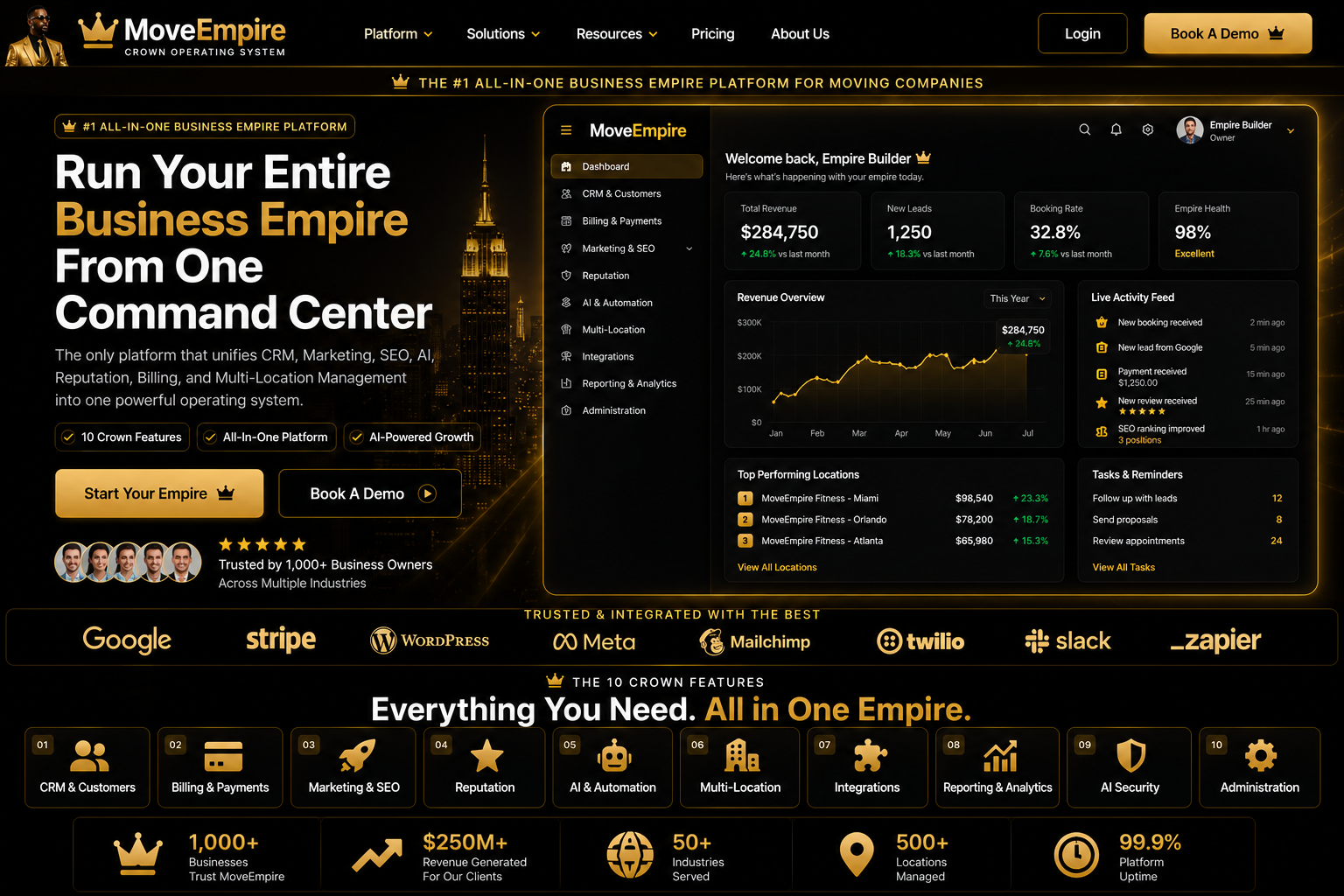
Moving Company Software Cost Visual Guide

Moving Company Software Cost FAQs
What is Moving Company Software Cost?
It is a practical workflow for organizing moving-company leads, customers, estimates, jobs, communication, and reporting in one connected system.
Who should use it?
Owners, sales teams, estimators, dispatchers, customer-service staff, and operations leaders can use it with role-appropriate access.
How does it improve lead follow-up?
It keeps inquiry details, next actions, and communication history visible so teams can respond consistently.
Can it support estimates?
Yes. Organized inventory and move details can help authorized staff prepare and review clearer estimates.
Does it help dispatch teams?
Connected job, crew, truck, date, and customer information can reduce handoff gaps during dispatch.
Can multiple locations use it?
Centralized visibility can support authorized teams across branches while preserving consistent workflows.
What information should be prepared first?
Prepare lead sources, customer fields, service types, pricing rules, user roles, and current operating procedures.
How long does setup take?
Timing depends on data quality, workflow complexity, integrations, and team availability; staged implementation is usually safest.
Is employee training important?
Yes. Training helps staff use the system consistently, protect customer information, and understand review responsibilities.
What is the next step?
Review MoveEmpire onboarding and pricing resources, document your workflow requirements, and apply for a product conversation.
Related resources: onboarding, pricing, and moving company software.
Understanding Software Costs
Moving company software cost depends on value and fit. This mover CRM pricing guide explains moving software cost 2026, the cost of software for movers, moving management software price considerations, and moving software ROI.
moving company software cost Decision Checklist
Use moving company software cost to document ownership, review steps, and measurable goals. Compare each moving company software cost workflow against current response time, data quality, staff responsibilities, and customer experience. A successful moving company software cost rollout includes training, permissions, testing, and regular review. Evaluate moving company software cost with clear requirements instead of choosing features in isolation.
For industry compliance and consumer-protection context, review the FMCSA Protect Your Move program.
MoveEmpire Pricing in Context
MoveEmpire’s introductory rate is $130 per month for the first 12 months, totaling $1,560 before applicable taxes or optional services. Beginning in month 13, the regular subscription price is $500 per month unless different terms appear in the customer’s written agreement. Migration, integrations, custom development, messaging, payment processing, onboarding, training, or additional-location services may cost extra when applicable.